What is Penwriting (Stylus Notes)?
Also known as: Penwriting, stylus notes, handwriting recognition, EMR, Wacom, stylus input, note-taking eReader, stylus
In a nutshell
What is penwriting?
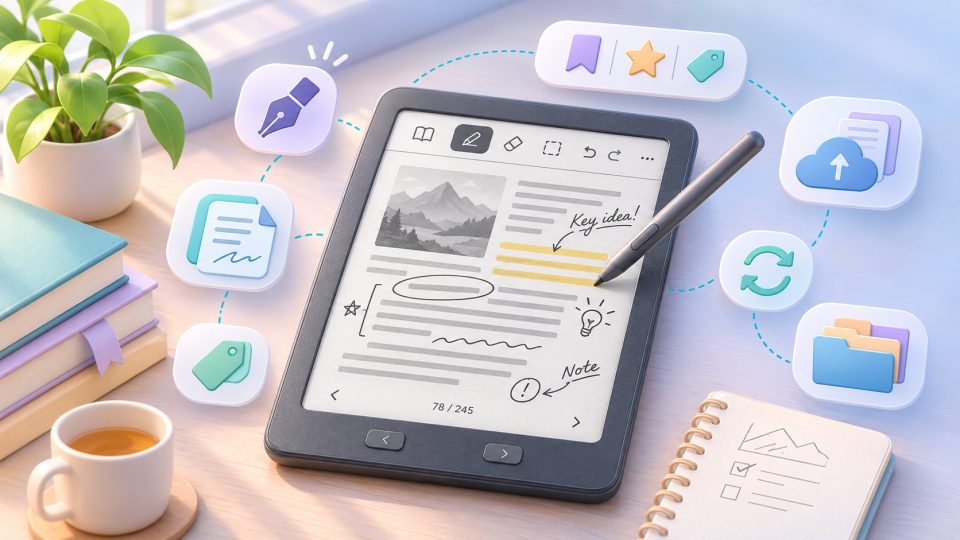
Penwriting literally means "pen writing" and refers to working by hand on an eReader or note-taking device: taking notes, marking up texts, drawing, or filling out PDFs, all directly with a stylus on the display. The best-known E Ink devices with stylus support are the Kindle Scribe, Kobo's Elipsa models and the Libra Colour with stylus, and note tablets like the reMarkable 2 and reMarkable Paper Pro.
How does stylus detection work?
Most manufacturers rely on Wacom EMR (Electro Magnetic Resonance), a technology in which the stylus communicates electromagnetically with a sensor layer under the display:
| Wacom EMR | active Bluetooth styli (Apple, Samsung) | |
|---|---|---|
| Battery in stylus | not needed | yes, needs charging |
| Detection | electromagnetic, under the display | capacitive, on the touch layer |
| Palm rejection | works well | depends on software |
| Pressure sensitivity | depending on model, usually 4096 levels | similar |
Because an EMR stylus needs no power, it weighs very little and never runs out. Many manufacturers include one in the box; with some it is an accessory.
Why is penwriting especially good on E Ink?
An E Ink display reflects light like paper, which makes working with a stylus feel more natural than on a tablet:
- No lag in movement, minimal ghosting: A full refresh is disruptive while writing, so these devices work with fast partial refreshes and a reduced ghosting effect. Modern panels like E Ink Carta 1200/1300 respond noticeably faster as a result.
- No flicker: As with reading, a display with high ppi density feels like paper when writing too.
- Familiar paper-like tools: line weight depending on pressure, an eraser on the back of the stylus, different ink colors in the software.
Downside: E Ink updates more slowly than tablet displays, so very fast writing or drawing can feel slightly laggy.
What can you actually do with stylus notes?
- Annotations directly in the eBook: handwritten margin notes, underlines, and highlights in the running text, saved as annotations & highlights. This is the heart of the feature, because it brings the classic reading experience of a physical book to your reader.
- Notebooks and journals: every note-taking eReader ships with preinstalled notebooks in various templates (lines, grid, dots, music staff).
- Editing and signing PDFs: fill out forms, sign contracts, annotate study material.
- Handwriting recognition: the software converts handwritten notes into searchable text, for example on the Kindle Scribe, reMarkable, or PocketBook models.
For whom is a note-taking eReader worth it?
A note-taking eReader is worth it if you work by hand regularly but want to avoid a tablet's distractions: students with lecture notes, professionals taking meeting notes, people keeping a digital journal without constantly checking notifications. If you only read novels, you don't need a stylus and are well served by a small, affordable reader. [Editorial test impression: writing feel and latency compared to paper]
What does penwriting mean?
Penwriting refers to writing, taking notes, and marking up texts by hand on an eReader or note-taking device with a stylus, much like on paper.
Does an eReader stylus need a battery?
Usually not. Most note-taking eReaders use Wacom EMR, where the stylus is detected electromagnetically by the display and needs no own power source.
Can I take notes directly in an eBook with an eReader stylus?
Yes. Note-taking eReaders like the Kindle Scribe, Kobo Elipsa, or reMarkable support handwritten margin notes and highlights directly in the text or PDF.
Which eReaders are suited for stylus notes?
Well-known devices are the Amazon Kindle Scribe, Kobo Elipsa and Elipsa 2E, reMarkable 2 and reMarkable Paper Pro, and selected PocketBook models with stylus support.
Is my handwriting converted to text?
Many devices offer handwriting recognition that turns written notes into searchable text. Quality depends on the device and your handwriting.
Is a note-taking eReader worth it just for reading?
No. If you only read, you don't need a stylus and are better off with an affordable, compact reader. A note-taking eReader pays off only if you regularly work by hand.