What is Adobe Digital Editions (ADE)?
Also known as: Adobe Digital Editions, ADE, Digital Editions
In a nutshell
What is Adobe Digital Editions?
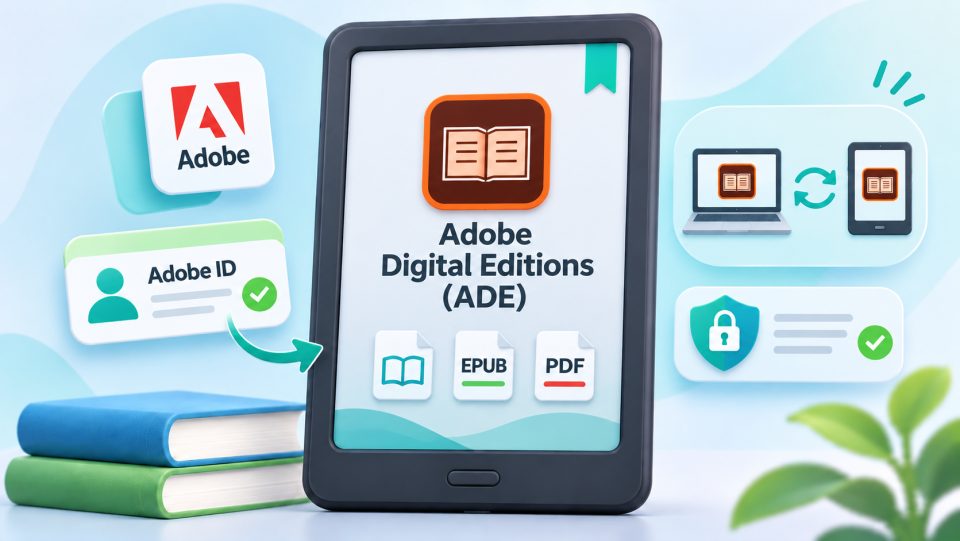
Adobe Digital Editions, or ADE for short, is Adobe's program for eBooks with Adobe DRM. It manages your copy-protected books, displays them on your computer and transfers them via USB to authorized eReaders. Unlike Calibre, ADE can handle hard copy protection; as a pure management and reading software, however, it is more plainly equipped. As of June 23, 2026, sign-in no longer runs through the Adobe ID: Adobe shut it down for ADE and connected applications and replaced it with the ByteBooks ID.
How does the authorization work?
For a copy-protected book to land on the reader, the computer and the reader must be connected to the same account:
- Install Adobe Digital Editions on your computer.
- Authorize the program with a ByteBooks ID, the successor of the Adobe ID.
- Connect the eReader with a USB cable; ADE authorizes the device with the same account.
- Open eBooks in ADE and transfer them to the reader.
What do you need ADE for?
| Use | Example |
|---|---|
| Transferring eBooks from other shops | Book with Adobe DRM via USB to Kobo, tolino or PocketBook |
| Onleihe on the PC and on Kobo | Open the book in ADE and transfer it to the eReader via USB |
| Onleihe PDF titles | Open and manage Onleihe PDFs |
| Reading eBooks on the computer | Display copy-protected books on PC or Mac |
What does ADE have to do with the Onleihe?
Most Onleihe titles run on LCP today: you borrow them directly via WLAN on the reader and only enter the four-digit Onleihe code. ADE remains relevant in three cases: for PDF titles, for use on the PC, and for the Kobo, which does not support LCP. There the Onleihe runs via the detour through the PC with ADE and a USB cable.
Limits of Adobe Digital Editions
- No Kindle: Kindle readers support neither Adobe DRM nor LCP. ADE cannot be used to read books from other shops on them.
- No removing the copy protection: ADE manages DRM but does not remove it. Removing effective copy protection is generally prohibited by German copyright law, even for private use.
- No universal manager: for books without hard copy protection, Calibre is the better choice, for example for format conversion and metadata.
Why does this matter for you?
If you read books with Adobe DRM from different shops, use Onleihe PDFs or want to connect a Kobo with the Onleihe, ADE is the tool of choice. The combination of ADE, ByteBooks ID and USB cable makes you independent of any single shop's ecosystem, as long as the copy protection is Adobe DRM.
What is Adobe Digital Editions?
A free program from Adobe for Windows and Mac. It opens and manages eBooks with Adobe DRM and transfers them via USB to eReaders like Kobo, tolino and PocketBook.
Do I need Adobe Digital Editions for the Onleihe?
Only in special cases: for PDF titles, for use on the PC, and for Kobo readers that do not support LCP. Onleihe EPUB titles now run on LCP directly on the reader.
On which devices does ADE work?
On Kobo, tolino and PocketBook, each together with Adobe Digital Editions on the computer and a ByteBooks ID. Kindle readers do not support Adobe DRM.
Can I remove the copy protection with ADE?
No. ADE manages the copy protection but does not remove it. Removing effective copy protection is generally not allowed under German copyright law.
Is Adobe Digital Editions free?
Yes, the program is free. You only need an account in addition, the ByteBooks ID, to authorize devices.
Can ADE manage books without copy protection too?
Yes, but Calibre is better suited for that. Calibre offers format conversion, metadata and library management and is the more common solution for unprotected eBooks.