What is ByteBooks ID?
Also known as: ByteBooks ID, successor of the Adobe ID
In a nutshell
What is the ByteBooks ID?
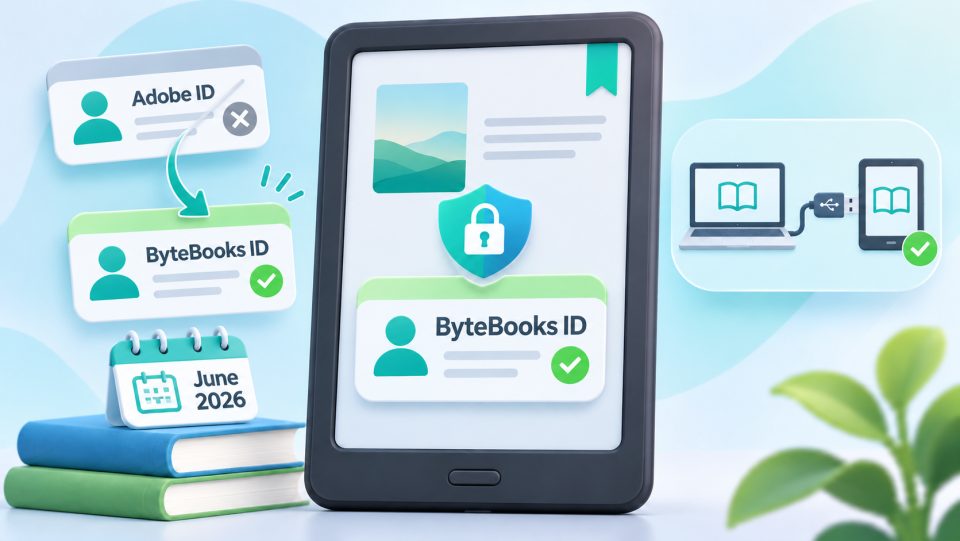
The ByteBooks ID is the personal account you use to sign in to Adobe Digital Editions. It is the successor of the former Adobe ID: as of June 23, 2026, Adobe shut down Adobe ID sign-in for ADE and connected applications and replaced it with the ByteBooks ID. The tasks stay the same: it authorizes your computer and your eReader so that you can open eBooks with Adobe DRM and transfer them to your devices.
What do you need the ByteBooks ID for?
| Use | Example |
|---|---|
| Transferring eBooks from other shops | Book with Adobe DRM via USB to Kobo, tolino or PocketBook |
| Opening Onleihe PDFs | PDF titles from the Onleihe in Adobe Digital Editions |
| Authorizing devices | Connecting reader and computer with the same account |
Without the account, a book with Adobe DRM from another shop cannot be transferred to your reader. It then stays on the devices and apps of the shop where you bought it.
Do you need the ByteBooks ID for the Onleihe?
Usually not anymore. Most Onleihe titles are protected with LCP today and only need the four-digit Onleihe code you enter on your device. You only need the ByteBooks ID in special cases:
- for PDF titles from the Onleihe
- for Adobe Digital Editions on the PC
- for transfer via USB cable
On a Kobo, the Onleihe runs via the detour through the PC anyway: open the book in Adobe Digital Editions and transfer it to the eReader via USB.
The ByteBooks ID compared with other protection types
| Account required? | Additional software | |
|---|---|---|
| Adobe DRM | Yes, the ByteBooks ID | Adobe Digital Editions on the PC |
| LCP | No, just a code | none |
| Watermark (Soft DRM) | No | none |
Why does this matter for you?
The ByteBooks ID is the key to eBooks with Adobe DRM, especially in combination with sideloading. If you buy from different shops, read Onleihe PDFs or bring books to your reader via USB, you should set up the account once. Anyone who only reads EPUB titles with LCP or books with a watermark needs no account and no additional software.
What is the ByteBooks ID?
A personal account for Adobe Digital Editions and the successor of the Adobe ID. You need it to transfer eBooks with Adobe DRM to Kobo, tolino or PocketBook.
Is the ByteBooks ID different from the Adobe ID?
The ByteBooks ID is the direct successor of the Adobe ID. As of June 23, 2026, Adobe ID sign-in is shut down for ADE and connected applications. Newer guides and devices call the account ByteBooks ID, older texts still speak of the Adobe ID. The way it is used stays the same.
Do I need the ByteBooks ID for the Onleihe?
Usually not anymore. Onleihe titles now run on LCP with a four-digit code. You only need the ID for PDF titles, Adobe Digital Editions on the PC and transfer via USB.
Can I load eBooks with Adobe DRM onto my reader without a ByteBooks ID?
No. To transfer them to Kobo, tolino or PocketBook you need the account and the software Adobe Digital Editions on your computer.
On which devices does the transfer with a ByteBooks ID work?
On Kobo, tolino and PocketBook together with Adobe Digital Editions on the computer. Kindle readers do not support Adobe DRM and do not open such books.