What is Calibre?
Also known as: Calibre, calibre, Calibre eBook manager, Calibre library
In a nutshell
What is Calibre?
Calibre is a free eBook manager for Windows, macOS, and Linux. The program is open source and has been maintained since 2006 by developer Kovid Goyal, supported by many volunteers. Originally, it started as a small Linux tool for the Sony Reader PRS-500; since 2008 it has been called Calibre. New versions appear very regularly; as of November 2026, version 9.18 is current.
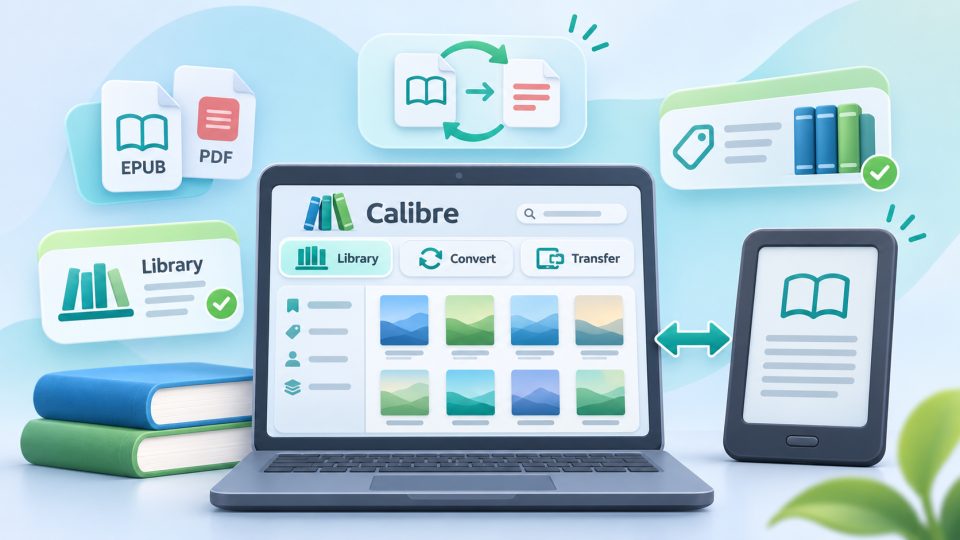
For many readers, Calibre is something like the Swiss Army knife for eBooks: library, converter, editor, and transfer tool in one.
What can Calibre do?
- Manage library: You sort your eBooks by author, title, series, or your own tags, download covers and metadata from the web, and find books using a comprehensive search.
- Convert formats: Calibre converts between dozens of formats, for example from EPUB to AZW3 for Kindle or from PDF to EPUB.
- Transfer to eReader: When you connect your reader via USB, Calibre usually detects it automatically and sends the appropriate format. Supported devices include Kindle, Kobo, tolino, and PocketBook, among others. Sometimes wireless transfer also works.
- Edit eBooks: With the built-in editor, you can correct typos, tables of contents, or metadata directly in EPUB and Kindle files.
- Read: A dedicated eBook viewer displays almost all formats on your computer.
- Download news: Calibre fetches articles from hundreds of news sources and RSS feeds and turns them into an eBook for your reader.
- Content server: If desired, Calibre makes your library available on your home network, so you can open it in the browser on your smartphone or tablet.
Calibre and copy protection
Calibre only works with eBooks without hard copy protection. While the program can store books with Adobe DRM, LCP, or Amazon's DRM in your library, it can neither convert nor edit them. This also applies to titles from Onleihe (German public library e-lending service). DRM-free eBooks and books with Watermark (Soft-DRM), on the other hand, work without problems.
Typical use cases
Getting EPUB onto Kindle: Kindle readers don't read EPUB via USB. Calibre converts the file to AZW3 and transfers it via cable; alternatively, you can send the EPUB directly via Send to Kindle. Read more under Sideloading.
Taking your library when switching devices: If you switch from Kindle to a Kobo or tolino, you can collect DRM-free books in Calibre and transfer them to the new device in the appropriate format.
Cleaning up metadata: You can correct incorrect titles, missing covers, or messy series in Calibre before the books go to your reader. This ensures a tidy library on the device.
Pros and cons
Calibre is free, extremely versatile, and supports almost every eReader. Thanks to numerous extensions (plugins), it can also be heavily customized. The downside: with its many options, the interface initially seems cluttered, and simple tasks require some getting used to. If you only copy a book to your reader occasionally, you can often get by without Calibre.
Is Calibre free?
Yes. Calibre is open source and completely free for Windows, macOS, and Linux. It's best to download it directly from the official website calibre-ebook.com.
Can I convert EPUB to a Kindle format with Calibre?
Yes. Calibre converts DRM-free EPUB files to AZW3 and transfers them via USB to Kindle.
Can Calibre convert Onleihe books?
No. Onleihe titles are protected with LCP or Adobe DRM. Calibre can neither convert nor edit such books.
Which eReaders does Calibre support?
Calibre recognizes many devices, including Kindle, Kobo, tolino, and PocketBook. You connect most readers via USB cable; sometimes wireless transfer also works.
Can I edit eBooks with Calibre?
Yes. The built-in editor opens EPUB and Kindle files without copy protection, so you can correct text, table of contents, or metadata.