What is AZW3 / KFX?
Also known as: AZW3, KFX, KF8, Kindle Format 8, AZW, Kindle format, Kindle formats
In a nutshell
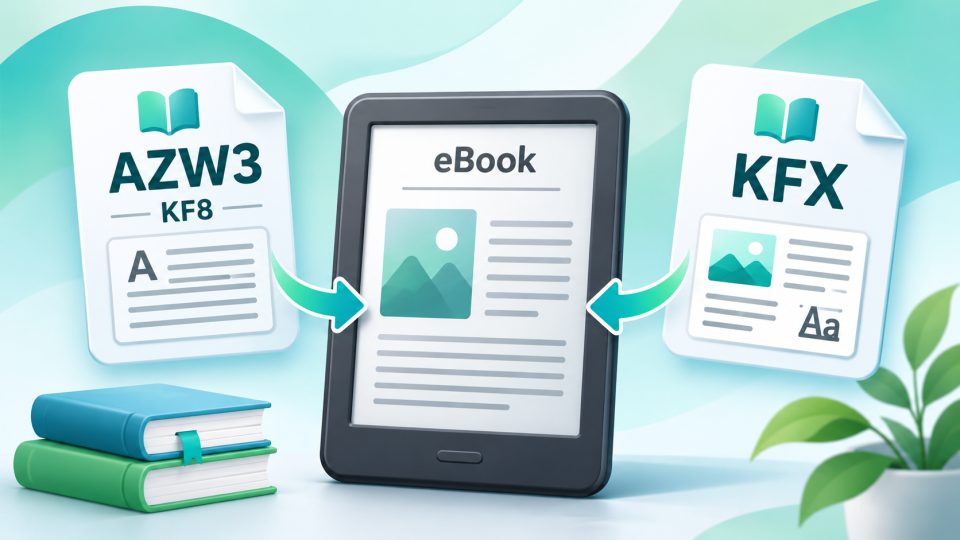
What are AZW3 and KFX?
AZW3 and KFX are the file formats in which Amazon delivers eBooks to Kindle readers and Kindle apps. They correspond to the open standard EPUB used by other manufacturers, but are proprietary: Amazon alone determines how they are structured and which devices are allowed to read them.
Which format ends up on your device is decided automatically by Amazon. Depending on the Kindle model and software version, the servers deliver the appropriate file. So an older Kindle may receive a different file than a current Paperwhite.
The Kindle formats at a glance
| Format | File extension | Since | What it can do |
|---|---|---|---|
| MOBI / AZW | .mobi, .azw | 2007 | Original Kindle format, technically simple |
| AZW3 (KF8) | .azw3 | 2011 | Supports parts of HTML5 and CSS3, better design |
| KFX (KF10) | .kfx | 2015 | Enhanced Typesetting |
MOBI and AZW come from Mobipocket, a company that Amazon bought in 2005. AZW is essentially a MOBI file with Amazon's copy protection.
AZW3, also called Kindle Format 8 (KF8), came out at the end of 2011 with the Kindle Fire. It supports part of HTML5 and CSS3 and thus allows significantly more design than MOBI, such as custom fonts and more complex layouts.
Amazon introduced KFX in August 2015. It is the basis for the so-called Enhanced Typesetting: better hyphenation, cleaner word spacing, ligatures and drop caps. In addition, there are features like Page Flip, which allows you to flip through a book without losing your reading position. Whether a title supports Enhanced Typesetting is stated by Amazon in the product description.
AZW3, KFX and copy protection
Books purchased from Amazon are generally protected with Amazon's own DRM. They can only be opened on Kindle readers and in Kindle apps that are linked to your Amazon account. A tolino, Kobo or PocketBook cannot read them.
Conversely, a Kindle cannot open books with Adobe DRM or LCP. That's why Onleihe (German public library e-book lending) also doesn't work on Kindle devices.
Getting your own eBooks onto the Kindle
For books without copy protection, there are two ways:
- Send to Kindle: Since 2022, Amazon's service accepts EPUB files via email, app or website. Amazon automatically converts them into a Kindle format, nowadays mostly KFX. You can no longer send MOBI files via this service. However, existing MOBI books in your library remain readable.
- USB cable: Via sideloading, you copy AZW3 or MOBI files directly to the Kindle. The Kindle does not read EPUB files this way.
Calibre is suitable for converting. The program converts EPUB to AZW3, and there is an extension for KFX. AZW3 has the advantage that you can edit the file later. KFX brings enhanced typesetting instead.
What does this mean for your purchasing decision?
If you buy from Amazon, you tie your library to Kindle devices. Switching to tolino, Kobo or PocketBook later is then difficult because the purchased books don't run there. If you want to stay flexible, buy eBooks in EPUB format from other shops, ideally without hard copy protection or only with a watermark. For readers who are at home with Amazon anyway, a Kindle Paperwhite is the most convenient choice.
What is the difference between AZW3 and KFX?
AZW3 (KF8) is Amazon's format from 2011 and supports parts of HTML5 and CSS3. KFX came out in 2015 and additionally enables enhanced typesetting (Enhanced Typesetting) with better hyphenation and word spacing.
Can I read AZW3 or KFX on a tolino or Kobo?
Not books purchased from Amazon, because they come with Amazon's copy protection. These files only open on Kindle readers and Kindle apps.
Can a Kindle read EPUB?
Not directly via USB. You send EPUB files without copy protection via Send to Kindle, and Amazon converts them into a Kindle format.
Can I still send MOBI files to my Kindle?
No longer via Send to Kindle. You can still copy MOBI files to the Kindle via USB cable, and MOBI books in your library remain readable.
How do I convert EPUB to AZW3?
Easiest with the free program Calibre. This only works with books without hard copy protection.