What is Sideloading?
Also known as: sideloading, to sideload, side-loading, side loading, transfer own eBooks
In a nutshell
What is sideloading?
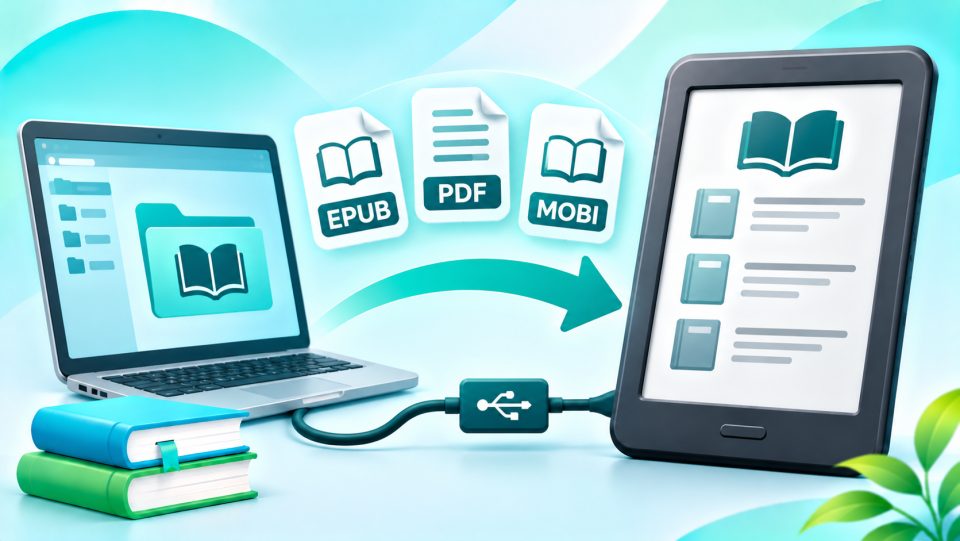
Sideloading literally means "loading from the side": You don't load eBooks or documents onto your eReader via the built-in shop, but via a different route. Typical examples:
- eBooks you bought from another shop
- free classics, for example from Project Gutenberg or Standard Ebooks
- your own PDFs, scripts, manuscripts, or specialist articles
- comics as CBZ / CBR
The term originally comes from the smartphone world, where it describes installing apps bypassing an app store. With eReaders, it's almost always about books and documents.
What methods are there?
There are essentially three ways to get files onto an eReader:
| Method | How it works | Advantage |
|---|---|---|
| USB cable | Connect the reader to your computer and copy files into the appropriate folder | Works without internet and account |
| Send the file to a personal device address | Convenient on the go, completely without cable | |
| Cloud | Upload the file to the manufacturer's cloud or to Dropbox or Google Drive | Books automatically land on all devices |
Which methods your reader supports depends on the manufacturer.
Sideloading on Kindle, Kobo, tolino, and PocketBook
Kindle
Amazon recommends the Send to Kindle service for your own files. Via the website, an app for Windows and Mac, the Kindle app, or by email to your personal Kindle address, you upload files up to 200 MB. Supported formats include EPUB, PDF, DOCX, TXT, RTF, HTML, and common image formats. Amazon automatically converts EPUB files into a Kindle format.
It also works via USB cable, but only with formats the Kindle can read directly, such as AZW3, MOBI, PDF, and TXT. You cannot transfer EPUB directly via cable. Newer Kindle models from 2024 and the Kindle Scribe also need their own app on Mac for USB transfer, such as Send to Kindle for macOS. An example is the Kindle Paperwhite.
Kobo
Kobo readers like the Kobo Libra Colour make it easy for you: Via USB cable, the reader appears on your computer like a USB stick, and you simply drag EPUB files, PDFs, or comics over. Additionally, you can download files directly on the device via Dropbox and Google Drive.
tolino
With tolino, you copy EPUB and PDF files via USB into the 'Books' folder. More convenient is the tolino Cloud: Via the tolino webreader in the browser, you upload your eBooks, and they then appear automatically on your eReader and in the tolino app. An example is the tolino vision color.
PocketBook
PocketBook offers the most ways: USB cable, the Send-to-PocketBook feature with its own email address for your reader, Dropbox, and the PocketBook Cloud. You can find all models at PocketBook.
What about copy protection?
Sideloading works without problems with files without copy protection and with books that only carry a watermark (soft DRM). With hard DRM it gets more complicated:
- Adobe DRM: You can transfer books with Adobe DRM from other shops to Kobo, tolino, and PocketBook. For this, you need the Adobe Digital Editions software on your computer and a ByteBooks ID, the successor to the Adobe ID. This is how, for example, Onleihe (German public library ebook lending) works on Kobo readers.
- Kindle: Kindle readers can open neither Adobe DRM nor LCP. Heavily copy-protected books from other shops therefore cannot be transferred to a Kindle.
- Shop-specific copy protection: Books with the copy protection of a specific shop, for example from Amazon or Kobo, only run on the devices and apps of that provider.
Removing effective copy protection is generally prohibited by German copyright law, even for private use.
Helpful tools
Most readers who regularly sideload use Calibre. The free program manages your eBook collection, adds covers and metadata, converts formats, and transfers books with one click to the connected reader.
Tips for smooth sideloading
- Choose the right format: EPUB for Kobo, tolino, and PocketBook; for Kindle via Send to Kindle.
- Maintain metadata: Title, author, and cover ensure the book is displayed neatly in the library.
- Safely eject the reader: Only disconnect the USB cable after you have safely ejected the device on your computer. Otherwise files can get corrupted.
- Not synchronized: Books transferred via USB are not saved in the cloud depending on the manufacturer. Reading progress and bookmarks then remain only on that one device.
- Keep using old devices: Even readers without shop access can continue to be used via sideloading, such as the Kindle Paperwhite (2012), whose store access was discontinued in May 2026.
Who is sideloading important for?
Sideloading is important if you buy books from different shops, read lots of PDFs or your own documents, or like discovering free classics. If that applies to you, Kobo, tolino, and PocketBook with their EPUB support are the most flexible choice. It also works with Kindle, as long as the books don't have hard copy protection.
What does sideloading mean on an eReader?
Sideloading means loading eBooks or documents onto your eReader bypassing a shop, for example via USB cable, email, or cloud. This way you read files from other sources on your device.
Can I load EPUB onto a Kindle?
Yes, but not via USB cable. Send the EPUB file via Send to Kindle using the website, app, or email. Amazon automatically converts it into a Kindle format. This only works with files without hard copy protection.
Can I sideload purchased eBooks with copy protection?
With Adobe DRM yes, on Kobo, tolino, and PocketBook with Adobe Digital Editions and a ByteBooks ID. On a Kindle this doesn't work. Removing copy protection is generally not allowed in Germany.
Which program helps with sideloading?
The free program Calibre. It manages your eBook collection, converts formats, and transfers files with one click to the connected eReader.
Where do I save eBooks on tolino?
Copy EPUB and PDF files via USB into the 'Books' folder. Alternatively, upload them via the tolino webreader into the tolino Cloud.