What is LCP (Readium LCP)?
Also known as: LCP, Readium LCP, Licensed Content Protection, LCP DRM, LCP copy protection
In a nutshell
What is LCP?
LCP stands for Readium Licensed Content Protection. It is a DRM system, i.e., a copy protection that determines who can open an eBook and for how long. LCP is developed and maintained by EDRLab, a European non-profit organization where publishers, libraries, and technology providers collaborate. No single company controls the standard.
Since 2024, LCP has been an international ISO standard (ISO/IEC 23078-2:2024). The specification is public and royalty-free. Anyone who wants to use LCP in a shop, a library, or a reading device gets certified by EDRLab and pays an annual fee, but no fee per book sold or lent.
How LCP works in everyday use
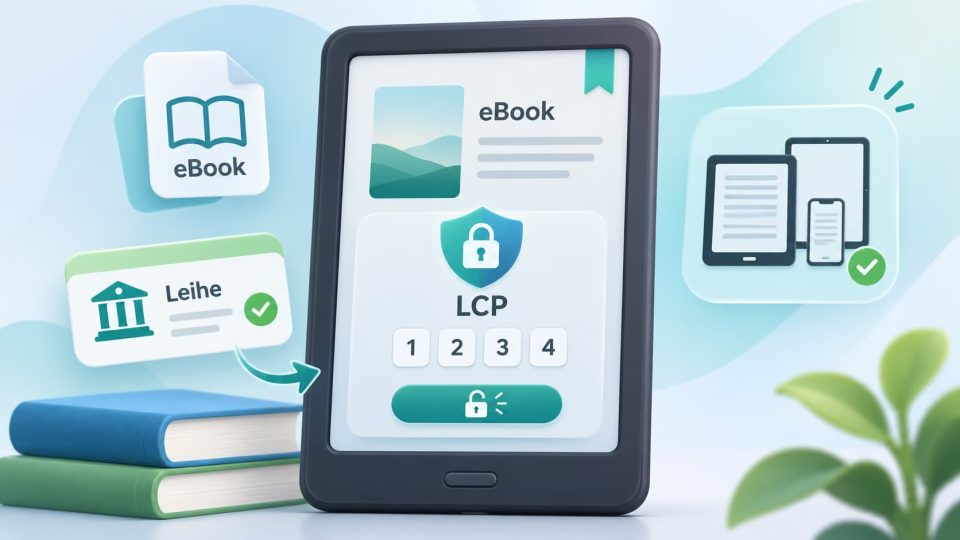
With Adobe DRM, you must authorize your eReader with an Adobe ID (now ByteBooks ID). LCP works without an additional account. Instead, a passphrase protects the book:
- You borrow or buy an eBook with LCP protection.
- When opening it for the first time, the eReader asks for the passphrase. In the Onleihe, this is a four-digit code that you can find in your account.
- After that, the device remembers the code, and other books open without re-entering it.
LCP protects EPUB files, PDFs, and audiobooks. Particularly practical for libraries: loans can be extended or returned early.
LCP and the Onleihe
Most eBooks in the Onleihe are now protected with LCP. On a compatible eReader, you can borrow them directly via Wi-Fi without going through a PC. You only need an Adobe ID or ByteBooks ID for the Onleihe in special cases: for PDF titles, for Adobe Digital Editions on PC, and for transfer via USB cable.
Which eReaders support LCP?
| Manufacturer | LCP | Onleihe |
|---|---|---|
| tolino | yes, since 2019 | directly on the device |
| PocketBook | yes | directly on the device via Onleihe app |
| Kobo | no | only via PC, Adobe Digital Editions, and USB |
| Kindle | no | not possible |
According to EDRLab, 51 E Ink devices from five manufacturers are LCP-certified worldwide. If you want to use the Onleihe conveniently, it's best to choose a tolino like the tolino vision color or a PocketBook. With a Kobo like the Kobo Libra Colour, it works via the detour with Adobe DRM.
Troubleshooting LCP issues
If a tolino reports an error with the code, deleted license data usually helps. To do this, open "My Accounts & My Family" in the menu and delete all saved LCP data under "LCP". After a restart, you download the book again and enter the code once more.
LCP compared to other copy protection methods
Compared to Adobe DRM, LCP is simpler because no account is needed, and more open because the standard does not belong to a single corporation. However, it remains a hard copy protection: you cannot copy the file freely to arbitrary devices. A watermark (soft DRM) is significantly looser, only noting the buyer in the book.
What does LCP mean for eBooks?
LCP stands for Readium Licensed Content Protection. It is an open copy protection that has been standardized as an ISO standard since 2024 and is used primarily by libraries such as the Onleihe.
Where can I find the Onleihe LCP code?
The four-digit code, also called eBook reader code or Onleihe code, can be found in your Onleihe account. You enter it when opening a protected book on your eReader for the first time.
Do I need an Adobe ID for LCP?
No. LCP works without an Adobe ID or ByteBooks ID. You only need these for the Onleihe for PDF titles, Adobe Digital Editions, and transfer via USB.
Does Kobo support LCP?
No. On a Kobo, you use the Onleihe via the detour PC: open the book in Adobe Digital Editions and transfer it to the eReader via USB.
Can a Kindle open LCP-protected eBooks?
No. Kindle readers support neither LCP nor Adobe DRM and therefore cannot open Onleihe titles.