Library eBooks: How to Borrow eBooks Online for Free, Wherever You Live
With a free library card you can borrow eBooks and audiobooks on your phone, tablet or eReader, no matter where you live. This guide compares Libby, Hoopla, BorrowBox and cloudLibrary, explains which devices work in which countries, and shows why popular titles come with a waitlist.
This page has been translated from German.
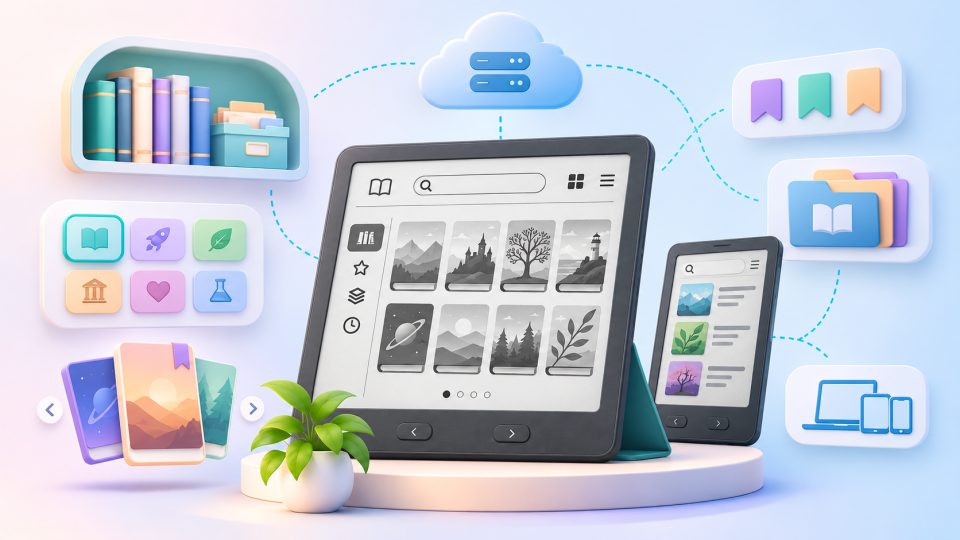
Your local library probably has a bookshelf you have never visited: a digital one. With a library card you can borrow eBooks and audiobooks for free, straight to your phone, tablet or eReader, without leaving the sofa. The details differ from country to country, but the basic idea is the same almost everywhere. This guide gives you the big picture and points out where your country, your library or your device can change the rules.
What are library eBooks?
Library eBooks are digital books that your public library licenses from publishers and lends to its members, one reader at a time, for a limited period. You do not buy anything and you pay no loan fee. Your library card is the key.
Most libraries do not run their own app. They rent a lending platform and offer you its app instead. The big names are:
| Platform | What it is | Good to know |
|---|---|---|
| Libby (OverDrive) | The most widespread library app for eBooks and audiobooks | Available in 78 countries, and over 90% of North American public libraries use OverDrive |
| Hoopla | Media streaming and borrowing with a library card | Instant access without waitlists, but your library sets a monthly borrowing limit |
| BorrowBox | Library app for eBooks and eAudiobooks | Free with a library membership, popular with libraries outside North America |
| cloudLibrary | Platform by Bibliotheca | Offers eBooks, audiobooks, magazines, comics and video, plus a mobile library card for physical checkouts |
Which of these you can use depends on your library, not on you. Check your library's website under "Digital library", "eBooks" or "eResources" to see what it offers. Many libraries offer more than one platform.
Two local examples show how different things can look. In Germany, most libraries use the Onleihe, and Libby is slowly appearing alongside it. In Poland, libraries often hand out codes for commercial reading services instead of running a lending app of their own.
How does borrowing work?
Borrowing works in five steps, and they are nearly identical on every platform:
- Get a library card. Many libraries let you sign up online, and some give you a digital card within minutes. Some libraries only accept residents of their area, others also let people who work or study there join. Ask your library what applies to you.
- Install the app. Download Libby, BorrowBox or whichever app your library uses, and search for your library by name or city.
- Sign in with your card number. Most apps ask for a PIN or password as well.
- Borrow or place a hold. If a copy is free, you borrow it right away. If every copy is out, you join the waitlist and get a notification when it is your turn.
- Read, then forget about it. The loan returns itself when the period ends. No overdue fees, no trip to the library.
To give you an idea of the limits, one Australian library service using Libby allows up to 40 eBooks and eAudiobooks on loan at the same time, with a three-week loan period, up to 40 holds, unlimited renewals when nobody is waiting, and no overdue fees. Your library may set different numbers.
Does it cost anything?
For you, nothing. The library pays for the licenses from its budget and you borrow for free. A few things can still cost money in practice:
- A library card is free in many places, but some libraries charge a small annual membership fee, especially for non-residents.
- Your device and internet connection, as with any digital reading.
- Impatience. Popular titles can mean a long wait.
Which devices work?
Almost every phone and tablet works, because Libby and the other apps run on iOS and Android. For eReaders it gets more interesting, and this is where your country matters a lot:
| Device | What to know |
|---|---|
| Phone or tablet | Works nearly everywhere with the library's app |
| Kobo eReader | Borrowing with OverDrive is supported in selected countries only: Canada, the United States, the United Kingdom, Australia, New Zealand, Denmark, Finland, Norway, Sweden, Taiwan and Hong Kong. This covers eBooks only, not audiobooks. Older Kobo models need a computer with Adobe Digital Editions. For models like the Kobo Libra Colour this is the easiest route to library books. |
| Amazon Kindle | Libby can send library books to a Kindle, but only for U.S. libraries. Outside the United States, Kindle owners usually read library books in the Libby app on a phone or tablet. Models like the Kindle Paperwhite use Amazon's own copy protection and do not open other library formats. |
| tolino, PocketBook and other eReaders | Support depends on the library system, often through Adobe DRM or LCP. In Germany, for example, tolino devices like the tolino vision color and PocketBook readers work well with the Onleihe. |
Why the difference? Library books are protected by DRM, a copy protection that decides which apps and devices may open a file. If you want to know more, read about Adobe DRM and LCP. A simple rule of thumb: before you buy an eReader because of library lending, check that your library's platform supports it in your country.
Why do I have to wait for new eBooks?
Because a digital copy is lent like a physical one. Most licenses work on a "one copy, one user" principle: if the library owns one license and someone has borrowed it, you wait. Publishers, not libraries, decide which license models are available.
The most common models are:
- One copy, one user, perpetual: the library keeps the license for good, but only one person reads it at a time.
- Metered: the license expires after a set time or a set number of loans. Big publishers often use 12 or 24 month terms, and some licenses end after 26 loans.
- Simultaneous use: many readers at once, often used for classics and public domain titles.
- Cost per circulation: the library pays each time someone borrows.
- Subscription: access to a catalog for a flat fee.
Cost is a big reason for the queues. A consumer might pay around $13 for a popular eBook, while a library routinely pays $55 or more for a two-year license, and some licenses are priced at $60 to $80. Libraries have limited budgets, so they cannot buy unlimited copies. Wait times of two to six months for a hot bestseller are not unusual.
Tips to shorten the wait:
- Place holds on several titles at once. You can often pause a hold if a book arrives too early.
- Check if your library also offers an instant platform such as Hoopla.
- Ask whether your library has an additional card, for example from a regional or state library, that adds more catalogs.
Why do libraries and publishers argue about eLending?
Libraries see themselves as places where everyone can read for free. Publishers fear that cheap and easy digital lending hurts sales. The result is a patchwork of rules that changes from country to country.
Money for authors. Many countries pay authors when their books are borrowed. In the United Kingdom, the Digital Economy Act 2017 extended the Public Lending Right to remote loans of eBooks and e-audiobooks. It started on 30 June 2018 in England, Wales and Scotland and on 30 June 2021 in Northern Ireland, making the UK one of the first countries to compensate authors for remote eLending. Rules elsewhere vary. In Poland, for instance, the lending compensation covers printed Polish-language works only, and in Germany the library royalty system for authors, Bibliothekstantieme, applies to print loans only.
Scanned copies are not an option. Some people ask why libraries do not simply scan their print books and lend the scans. In the United States, the Internet Archive tried exactly that with its controlled digital lending program. On 4 September 2024, the Second Circuit held in Hachette v. Internet Archive that the program violated copyright law. This is why libraries rely on licensed eBooks and do not lend their own scanned copies.
Are there free digital libraries without a library card?
Yes, though they work differently. Projects with public domain books offer free downloads without a card, because the copyright has expired. They are great for classics, but they will not give you the new bestsellers. When you download from such sites, check the file format (EPUB works on most eReaders) and use sideloading to move the file to your device.
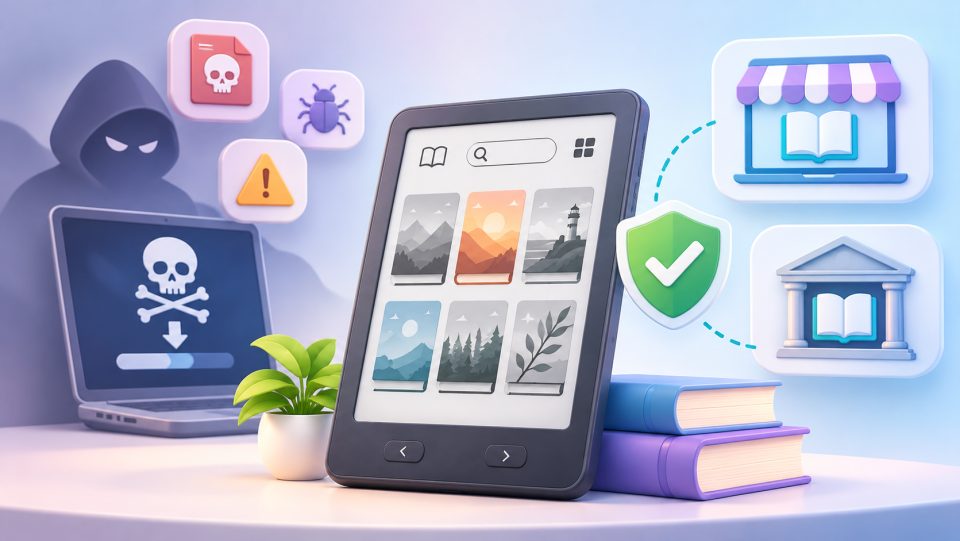
Be careful with websites that promise current bestsellers for free without a library card. Those are almost always illegal copies, and they carry real risks. If you are curious, our guide on ebook piracy explains them.
Our verdict
If you read a lot and you live near a library that participates, a library card is one of the best deals in reading. It costs little or nothing, it gives you access to thousands of books, and it works on your phone from day one. The weak spots are waitlists for new releases and the patchwork of rules for eReaders: whether your Kobo, Kindle or tolino can borrow depends on where you live. Check your library's website first, install the app it recommends, and place your first hold today. For organizing what you borrow, buy and download, take a look at our guide to the digital bookshelf.
Facts in this guide reflect public information from OverDrive, Kobo support and the sources named above at the time of writing. Library rules change, so confirm details with your own library.
Frequently asked questions
Can I borrow eBooks from a library for free?
Yes. With a library card you borrow eBooks and audiobooks at no cost. The library pays for the licenses. Some libraries charge a small yearly card fee, mostly for non-residents.
Which app should I use to borrow library eBooks?
It depends on what your library offers. Libby (OverDrive) is the most widespread and is available in 78 countries. BorrowBox, cloudLibrary and Hoopla are alternatives. Check your library's website to see which one it uses.
Can I read library eBooks on a Kindle?
Only in the United States. Libby can send library books to a Kindle for U.S. libraries. Outside the U.S., you read library books in the Libby app on a phone or tablet, or use a Kobo where OverDrive is supported.
Which countries support library eBooks on Kobo eReaders?
Kobo lists Canada, the United States, the United Kingdom, Australia, New Zealand, Denmark, Finland, Norway, Sweden, Taiwan and Hong Kong for borrowing with OverDrive. This covers eBooks only, not audiobooks.
Why is there a waitlist for library eBooks?
Most licenses allow one reader per copy, and libraries pay far more per license than consumers pay for an eBook, so they own few copies. Wait times of several months for bestsellers are possible.