Color E Ink explained: what Kaleido 3 can really do in everyday life
Kaleido 3 is color E Ink with a color filter on top of a black-and-white display: text stays razor sharp at 300 ppi, while color looks subtle and slightly pale at 150 ppi with up to 4,096 tones. That pays off for covers, comics, diagrams and highlights, less so for pure novels. Kaleido 4 has been announced, but is not yet in any eReader.
This page has been translated from German.

Covers in color, colorful diagrams, comics with real colors: color E Ink promises that an eReader can do more than black and white. But how much of that actually shows up in everyday life? Here you will learn how the technology behind it works, what advantages color brings to the screen, where a classic black-and-white reader has the edge, and whether waiting for the successor Kaleido 4 is worth it.
What is color E Ink and how does Kaleido 3 work?
Classic E Ink (also called ePaper, E-Paper or electronic paper) works through electrophoresis: in tiny microcapsules, charged black and white pigments float, and an electric field pushes them up or down. This creates an image that reflects like paper and only needs power when the page changes. Color has been the big construction site of this technology over the years, from early attempts through Kaleido and Kaleido Plus to today's generation.
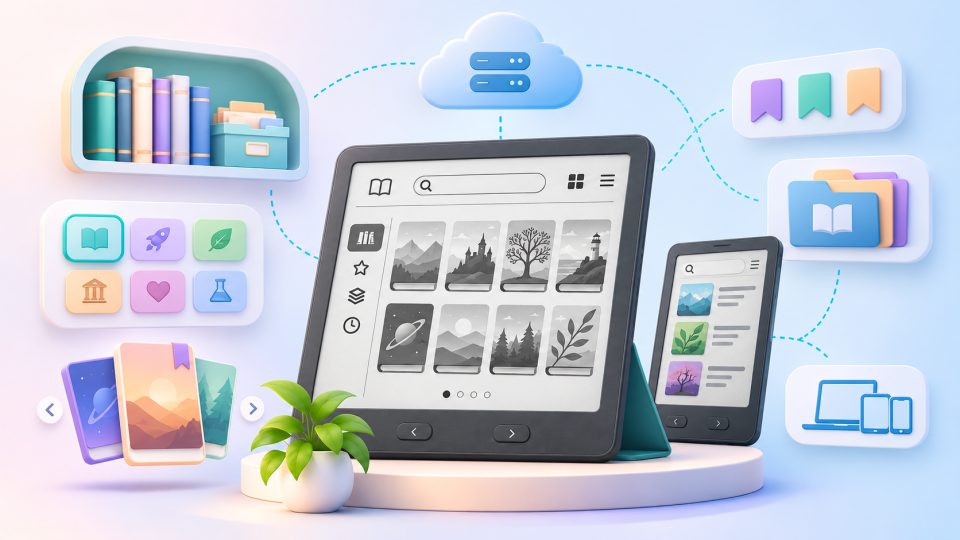
Kaleido 3 is the third generation of E Ink's color E Ink technology and works with a color filter on top of a normal black-and-white screen. Imagine a completely normal E Ink display with an ultra-thin film on top containing tiny red, green and blue filters (Color Filter Array, or CFA). The text is still created in the black-and-white layer underneath, and the color is only added through the filter. That is why text remains razor sharp while colored areas look softer.
E Ink presented Kaleido 3 in April 2022. The key specifications according to the manufacturer and common data sheets:
| Feature | Kaleido 3 |
|---|---|
| Colors | up to 4,096 |
| Grayscale levels | 16 |
| Black-and-white resolution | 300 ppi |
| Color resolution | halved to 150 ppi |
| Color saturation | 30 percent higher than Kaleido Plus, according to E Ink |
| Technology | color filter over black-and-white layer |
What pixel density means is explained in our glossary entry on ppi.
How sharp and how colorful is Kaleido 3 really?
Text on Kaleido 3 stays as sharp as on a black-and-white reader, while colors look subtle and more like printed paper than a smartphone. The palette is limited to 4,096 colors, and reviews frequently describe the colors as pale or pastel. That fits the technology: a filter over reflective paper can never glow like a display with its own backlight.
But that is where color E Ink plays out its biggest advantage: you can read even in direct sunlight, because the display reflects ambient light instead of shining against it. Two things you should know before buying:
- The background is slightly darker. The color filter swallows part of the light. White therefore usually looks slightly gray, and the display benefits more from the frontlight than a pure black-and-white display.
- Color is softer than text. You notice this with small colored details, such as fine lines in diagrams or tiny text in speech bubbles.
Advantages and disadvantages of color E Ink at a glance
| Advantages | Disadvantages |
|---|---|
| Good readability even in bright light and sunshine | Colors look paler than on LCD or OLED displays |
| Very power efficient, power consumption only matters when the page changes | White looks slightly darker, a frontlight is more important |
| Sharp text at 300 ppi | Color images only at half the resolution |
| Easier on the eyes than a reflective tablet screen | Color pages build up more slowly, no videos |
Why is the color resolution lower than the text resolution?
The color sits in its own filter layer, and each color point needs several subpixels for red, green and blue. That is why the resolution is halved for color content. On the Kobo Libra Colour and the tolino vision color with 1264 x 1680 pixels, that corresponds roughly to 632 x 840 picture elements in color mode. You do not notice this when reading text, but you do with colored images.
How good is color in everyday life?
Color pays off mainly for content where it carries information: covers, diagrams, maps, highlights and comics. For pure novel text it adds little. This overview shows what displays well on the screen:
| Content | Suitability of Kaleido 3 | Why |
|---|---|---|
| Novels and running text | very good | Text is razor sharp, color plays no role |
| Covers and library | good | Covers are clearly colorful, but look muted |
| Non-fiction books with diagrams | good | Colored curves and maps are easier to tell apart |
| Colored highlights | good | Several highlight colors organize thoughts clearly |
| Comics and manga | usable | Color is appealing, but speech bubbles are tiny on small displays, many devices support CBZ and CBR |
| Photos | limited | Only 4,096 colors and half the color resolution |
| Videos and apps | not suitable | E Ink refreshes too slowly |
How fast and how cleanly does Kaleido 3 build up the page?
According to E Ink, Kaleido 3 turns pages faster than older color E Ink generations, but it remains an E Ink display. Colored pages take a little longer than text pages, and as with every E Ink display, slight ghosting can occur. A full refresh clears up afterimages. Also: E Ink only consumes power when the page changes, not the display itself at rest. How long the battery lasts therefore depends heavily on frontlight, WLAN and usage. Capacity in mAh is only comparable within similar devices, and manufacturers' battery life figures differ from device to device.
Kaleido 3, Gallery 3 and Spectra 6 compared: what is the difference?
Kaleido 3 relies on a filter over black and white, Gallery 3 is based on the full-color technology ACeP (Advanced Color ePaper) and mixes the color in every pixel itself. The consequence: Gallery 3 delivers color at full resolution and with richer tones, but needs longer for color changes. Gallery 3 is found, for example, in the reMarkable Paper Pro. Spectra 6, on the other hand, targets digital signage, electronic price tags and photo frames above all, and so far plays hardly any role in eReaders.
| Kaleido 3 | Gallery 3 | Spectra 6 | |
|---|---|---|---|
| Color technology | color filter over black and white | color particles (cyan, magenta, yellow, white) in every pixel | six color pigments |
| Color resolution | 150 ppi | 300 ppi | depending on the panel |
| Page build-up | fast | slower in color | slower |
| Text sharpness | very high | somewhat weaker | not optimized for text |
| Typical use | eReaders, tablets | tablets, comics | signs, photo frames |
For pure reading with a bit of color, Kaleido 3 is currently the most balanced choice. Gallery 3 fits better when color matters more than speed.
Which eReaders use Kaleido 3?
Kaleido 3 is inside most current color eReaders you can buy in Germany, and in some tablets:
- Kobo Libra Colour: 7 inches, stylus support for notes, manufacturer Kobo.
- tolino vision color: technically closely related to the Libra Colour, with water protection per IPX8 and the tolino ecosystem including Onleihe. The manufacturer is the tolino alliance.
- Kindle Colorsoft: the color Kindle from Amazon, also available as the Kindle Colorsoft (2025) with a Kaleido 3 display.
- PocketBook InkPad Color 3: 7.8 inches, from PocketBook.
- Kobo Clara Colour: the compact variant with 6 inches.
- BOOX Tab Ultra C and Tab X C: Android tablets with a Kaleido 3 display, designed for notes and apps.
Which model suits you depends less on the display than on the manufacturer and its shop system. There are differences in storage too: models with 16 GB and 32 GB cost different amounts, and more storage can make sense for comics and PDFs. If you buy from Amazon you tend to go for a Kindle, if you use the Onleihe, for a tolino. The tablets offer more power and features, but lose the reader character.
Kaleido 4: is waiting worth it?
E Ink announced the successor Kaleido 4 on October 15, 2026, but there are no readers with this display yet. According to E Ink, the color volume doubles compared with Kaleido 3 to more than 40K, white becomes 15 percent brighter, contrast rises by 50 percent, and videos run at up to 18 frames per second. E Ink names the note tablet Hanvon M10C II as the first device.
Quite a bit is still open. There is no official figure for the color resolution, reports speak of a possible 300 ppi in color too. New readers from Kobo and other manufacturers are expected at the earliest in early 2027, nothing is confirmed. Development has been heading towards higher resolution and better saturation for years, so a leap is plausible, but not yet proven.
Our advice: if you need a color reader today, buy one. Kaleido 3 is mature, the devices are available, and completely sufficient for novels and non-fiction. Waiting is only worth it if color sharpness and saturation matter especially to you.
For whom is color E Ink worth it?
Color pays off if you regularly enjoy comics, non-fiction with graphics, colored highlights or covers in your library. If you read almost only novels, a black-and-white reader like the Kindle Paperwhite is often the better choice: the display is brighter and higher contrast, and the devices usually cost less.
- Choose color: comics, manga, textbooks, maps, handwriting with a stylus.
- Choose black and white: novels, heavy readers, maximum brightness, small budget.
- Tablet instead of reader: Android E Ink tablets run a full operating system, have a stronger processor and suit applications like note apps. In return they are more expensive and heavier than a classic reader.
What you should look at when buying
- Check the panel: does the data sheet say Kaleido 3 or Kaleido 4 for the panel? That tells you more than the term color display.
- Frontlight and color temperature: a good frontlight with adjustable color temperature compensates for the darker background.
- Size: for comics and PDFs, large displays work better than compact models.
- Shop and formats: check whether EPUB, CBZ or the Onleihe are supported.
- Equipment: look out for WLAN, Bluetooth for headphones and audiobooks, sufficient storage, water protection and the device's ports.
- Stylus: if you want to take notes, look for stylus support.
Our conclusion
Kaleido 3 brings real color to the eReader without giving up the strengths of E Ink. Text stays sharp, covers, diagrams and comics benefit, but the colors remain muted, and white is somewhat darker than on black-and-white readers. For many readers that is a good compromise. If you mainly read novels, you save money with a black-and-white reader and get the brighter picture.
Frequently asked questions
Is color E Ink less sharp than black and white?
Text stays equally sharp, because the black-and-white layer delivers 300 ppi. Colored areas are only rendered at half the resolution (150 ppi) on Kaleido 3, which is why color images and fine color details look softer.
How good are the colors on Kaleido 3?
Kaleido 3 shows up to 4,096 colors that look subtle and rather pale. Compared with Kaleido Plus, E Ink increased saturation by 30 percent. The colors are not comparable with a smartphone display, they resemble printed paper more.
Is a color eReader worth it for novels?
For pure novels, usually not. The text is sharp, but color adds little value, and the background is somewhat darker than on black-and-white readers. Color makes sense for comics, non-fiction with diagrams, covers and colored highlights.
What is the difference between Kaleido 3 and Gallery 3?
Kaleido 3 places a color filter over a black-and-white display and is fast, but limited to 150 ppi in color. Gallery 3 mixes the color in every pixel itself and reaches 300 ppi, but needs longer for color changes.
Is waiting for Kaleido 4 worth it?
E Ink announced Kaleido 4 on October 15, 2026, but there are no readers with it yet. New models are expected at the earliest in early 2027. If you need a color reader now, Kaleido 3 is mature and completely sufficient for books.