eBook Reader Software for macOS
Ten programs compete as eBook readers for the Mac: Apple Books and Kindle cover their own shops, Calibre manages collections, Thorium and FBReader open LCP EPUBs. Readest, Yomu and Koodo differ in cloud sync, Wizread adds local reading statistics and Stanza Redux offers a lightweight way to free books.
What matters in an eBook reader for macOS?
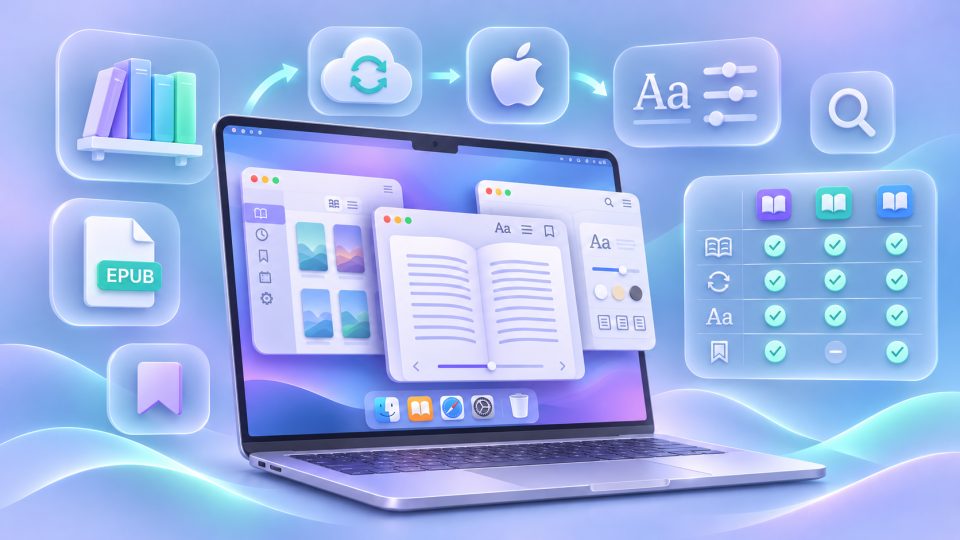
Which eBook reader for the Mac suits you best depends above all on your books and your reading habits. Apple Books is preinstalled and opens EPUB and PDF. But for books from other shops, special file formats or DRM copy protection, you may need a different app.
Five questions help before you decide:
- File formats: Is it about EPUB, PDF, Kindle files or comics?
- Book source: Do you buy from Apple and Amazon, borrow books, or manage your own files?
- Copy protection: Do you need support for Apple/Kindle DRM, Readium LCP or Adobe DRM?
- Library: Do you mainly want to read, or organize hundreds of books, maintain metadata and convert formats?
- Devices and sync: Do you read only on the Mac, or also on iPhone, iPad, Android and an E Ink reader?
We compare ten programs that you can try for free under macOS at least in a basic version. Free does not always mean that cloud sync and every extra feature is included. Current versions also do not support Intel and Apple Silicon Macs equally. Feature information as of November 2026. You can find the platform counterpart in our guide eBook Readers for Windows.
Which eBook readers for macOS are available?
The ten programs cover different tasks, from the built-in Apple reader to the library manager to the local EPUB/PDF reading program. The formats in the table are a selection and, unless stated otherwise, assume files without third-party copy protection.
| Program | Especially suitable for | Formats (selection) | Cost and synchronization |
|---|---|---|---|
| Apple Books | Easy reading on Apple devices | EPUB, PDF, audiobooks | App free; iCloud sync |
| Kindle for Mac | Amazon books and Kindle devices | Kindle books, personal documents via Send to Kindle | App free; Whispersync |
| Calibre | Large libraries, metadata, conversion | EPUB, MOBI, AZW3, PDF, FB2, DOCX | Free, open source; no cloud sync of its own for reading progress |
| Thorium Reader | Accessibility and LCP library loans | EPUB 3, PDF, DAISY, audiobooks, comics | Free, open source; no cloud sync |
| FBReader | EPUB, OPDS and LCP across devices | EPUB, FB2, MOBI, RTF, TXT, CBR/CBZ | Free to use; FBReader Book Network |
| Readest | Modern interface, KOReader and translation | EPUB, PDF, MOBI, AZW3, FB2, CBZ | Free sync with storage limit; premium for advanced features |
| Yomu | Native Apple app and many DRM-free formats | EPUB, MOBI, AZW3, PDF, CBR/CBZ | Free up to 10 documents; iCloud with a one-time Pro purchase |
| Koodo Reader | Many formats and your own cloud/NAS storage | EPUB, PDF, MOBI, AZW3, FB2, DjVu, TXT | Basic version free; own cloud sync with Pro |
| Wizread | Local EPUB/PDF reading with statistics | EPUB, PDF | Available free; no cloud sync of book files |
| Stanza Redux | Minimalism and free OPDS catalogs | EPUB without DRM (up to 64 MB) | Free, open source; no cloud sync |
What can the individual programs do?
Apple Books: The uncomplicated reader for Apple users
Apple Books is part of macOS and is the easiest entry point for many. The app opens EPUB and PDF files, offers a clean reading layout and plays audiobooks. You can import your own files via the Finder. With iCloud synchronization enabled, books and PDFs as well as collections, bookmarks, notes and highlights sync between Mac, iPhone and iPad.
The strength of the tight system integration is also its limit: there is no matching app for Android or Windows, and Apple Books cannot open Kindle books or EPUBs with third-party Adobe DRM. If you maintain a large collection with consistent metadata or want to convert books, you also hit limits. Right for you if you simply want to read on Apple devices and need neither complex management nor exotic formats. For pure PDFs, the macOS Preview often suffices.
Kindle for Mac: The companion to your Amazon account
If you mainly buy Kindle books, the Kindle app for Mac is usually the most direct route. Whispersync can sync reading positions, bookmarks and highlights between the Mac app, Kindle devices and other Kindle apps. You can send personal documents to your Amazon account via Send to Kindle; the service accepts, among others, EPUB, PDF and Office files.
Compared with a simple EPUB reader, parts of the interface feel more tailored to Amazon's services. The built-in dictionary, Wikipedia and translation views can distract while highlighting and reading. Above all, the app remains tied to the Amazon ecosystem: books with Adobe DRM from other shops and many library loans cannot simply be opened with it. Right for you if your library consists of Kindle purchases anyway or you use a Kindle Paperwhite.
Calibre: The Swiss army knife for eBook collectors
Calibre is not just a reader but above all a powerful library manager. The free open-source software maintains metadata and covers, converts numerous file formats, transfers books to compatible devices and serves collections through an integrated content server. An eBook viewer is also included. Current Mac versions run natively on Apple Silicon; for older macOS versions the project points to earlier releases.
The price of the feature set is a densely packed interface that takes some getting used to at first. The built-in viewer is functional, but for pure reading not necessarily as pleasant as Apple Books, Yomu or Readest. Important: Calibre supports neither DRM-protected reading nor DRM removal out of the box. For conversion, files must be usable accordingly. If you only want to open an EPUB occasionally, you do not need Calibre. For large collections it is all the more worthwhile; our guide Digital Bookshelf offers practical tips.
Thorium Reader: Accessibility and LCP library loans
The Thorium Reader is a free open-source reader from the European Digital Reading Lab (EDRLab) for macOS, Windows and Linux. It opens, among others, EPUB 3, PDF, DAISY publications, audiobooks and comics. Its particular strengths include the extensive reading and display settings and the support for assistive technologies and screen readers, including Apple's VoiceOver. It can also open books with LCP protection and use OPDS catalogs.
The flip side: the local library is simpler than Calibre's, and a cloud sync of reading progress with mobile devices is missing. Depending on your Mac, you need the matching Intel or Apple Silicon version for the download. Right for you if accessible reading and LCP-protected loans matter more to you than a cross-device account. More on copy protection below.
FBReader: The versatile EPUB reader with LCP and OPDS
FBReader is a standalone desktop app for macOS that runs on Intel and Apple Silicon Macs. The current version 2.5.2 of 16 November 2026 supports EPUB/EPUB 3, FB2, MOBI, RTF, text files and comics in CBR, CBZ and CB7. Add customizable font and page layouts, a two-column view, bookmarks, read-aloud via the system speech output and several books open at the same time.
Particularly useful are the OPDS 1.2/2.0 catalogs for online libraries, the Readium LCP support for correspondingly protected EPUBs, and the synchronization of books, reading positions and bookmarks via the FBReader Book Network. That gives FBReader more cross-device options than Thorium. The main caveat: PDF, DjVu and DOCX are not supported. The cloud service is also a different solution than freely choosing your own WebDAV storage. Right for you if you mainly read EPUBs, use OPDS and need LCP or syncing with other devices.
Readest: Modern open-source reader with KOReader integration
Readest is available on macOS, iOS, Android, Windows, Linux and in the browser. The open-source reader opens EPUB, PDF, MOBI, AZW3, FB2 and CBZ, allows highlights and notes, read-aloud, translations and a split view, for example for original text and translation. OPDS catalogs and a connection to a Calibre library unlock further books.
The special feature for users of an E Ink device with KOReader: Readest can sync the reading position via the official KOReader sync server. This route does not transfer highlights or notes, though. For more extensive syncing of books and annotations there is a separate Readest integration and a KOReader plugin. According to the developer, the free Readest plan includes cross-platform sync and 500 MB of cloud storage. More storage, increased AI quotas and connecting your own services such as iCloud Drive or WebDAV require a paid plan or a designated one-time purchase unlock. Right for you if you read on several platforms and are willing to check the premium limits. Readest cannot simply unlock DRM-protected shop books.
Yomu: The native Apple alternative with many formats
Yomu EBook Reader relies, like Apple Books, on a native app for Mac, iPhone and iPad, but accepts more DRM-free file formats: EPUB, MOBI, AZW/AZW3, PDF and comic archives in CBR and CBZ. The reading view is deliberately reduced and offers various fonts, layouts and color modes. Notes and highlights are also included. You can import books from files, cloud drives, OPDS catalogs and Calibre, among others; according to the developer, the current app requires macOS 14 or newer.
The free limit matters: you can try all supported formats and the basic reading functions, but the library is limited to ten documents. Unlimited books, freedom from ads and an iCloud-synced library require Yomu Pro. According to the developer, this is a one-time cross-platform purchase rather than a subscription. You do not need a separate account; iCloud requires your Apple ID. Right for you if the typical Apple feel matters to you and Apple Books supports too few formats. Copy-protected Kindle files are not an option here either.
Koodo Reader: Many formats and control over the storage location
Koodo Reader combines an open-source reader with a local library. It opens, among others, EPUB, PDF, DjVu, FB2, TXT, MOBI and AZW3 without copy protection. The tools include search, notes, PDF annotations, a night mode and read-aloud functions. The desktop version is available for macOS, Windows and Linux, and there is also a web version.
Koodo is exciting for people with their own storage: the developer documents sync via WebDAV, Nextcloud-compatible servers, S3/object storage, Dropbox, FTP, SFTP and other services. On the Mac, iCloud is also supported as a data source. But this does not mean this sync is unlocked for free: the documented synchronization requires signing up for Koodo Reader Pro and must be set up or triggered on the devices involved. For purely local reading, the basic version is enough. Right for you if you want to read various DRM-free file types and sync your book data with a storage provider of your own choosing. Comprehensive metadata maintenance and format conversion as in Calibre are missing.
Wizread: Local desktop reader with reading statistics
Wizread is a modern EPUB and PDF reader for Windows, macOS and Linux. For the Mac, the vendor explicitly advertises a download for Apple Silicon. In the local library you can open, search, highlight and bookmark books and documents. A dictionary and inline translation are included, plus an adjustable light or dark reading layout.
The most striking feature is the reading statistics: reading time, reading speed, personal goals and streaks of consecutive reading days can make your reading routine visible. According to the developer, book files, contents and private highlights stay local on the computer; a mandatory account for reading and a cloud sync of book files are not planned. That is good for users who deliberately work without a book cloud, but impractical when switching between Mac, iPhone and E Ink reader. Wizread is also a young project, and the library management replaces neither Calibre's conversion nor its metadata tools. Right for you if you want to read EPUBs or longer PDFs with focus on the Mac and analyze your reading habits.
Stanza Redux: Lean open-source reader for free books
Stanza Redux picks up on the former iOS reading app Stanza, which was discontinued after Amazon's acquisition of Lexcycle. The new open-source project offers a deliberately simple reader with local books, individually adjustable typography, bookmarks and OPDS catalogs. Via sources such as Project Gutenberg or Standard Ebooks you can find and download free classics. According to the project, no account, ads or subscription are needed.
Contrary to occasional claims, there is also a dedicated macOS version with an AppKit interface as a DMG download, not only the iPad app usable on Apple Silicon Macs. The limitations are considerable, though: Stanza Redux reads only unencrypted EPUB files up to 64 MB, but no PDFs, comics, audiobooks or DRM titles. A cloud sync of reading progress is missing. Right for you if you want to read free EPUBs without extra services and browse OPDS libraries. We also explain background and features in our detailed Stanza Redux guide.
Can I read copy-protected eBooks on the Mac?
Not every reader can open every DRM. What matters is which shop or library uses the copy protection. The following overview names the matching software; for DRM-free files you have far more choice.
| Copy protection or source | Suitable solution on the Mac |
|---|---|
| Kindle books from Amazon | Kindle for Mac |
| Protected titles from the Apple Books Store | Apple Books |
| Readium LCP | Thorium Reader or FBReader (for supported LCP EPUBs) |
| Adobe DRM | Adobe Digital Editions or its successor ByteBooks Digital Editions |
| No DRM | A matching reader from the comparison, depending on the format |
Important for Adobe DRM books: since 23 June 2026, existing Adobe IDs are being converted to ByteBooks IDs. Installations that are already authorized remain usable for now; the change matters when you need to authorize a device anew. For PC and Mac, Adobe Digital Editions is replaced by ByteBooks Digital Editions; according to Libri, support for the old program will end in late 2026. Migrate an existing ID with the same email address and read up on the procedure before a fresh installation. Libri offers a step-by-step explanation. Our glossary entry on Adobe Digital Editions explains the previous software.
Shops also offer browser alternatives. Kobo points to the Kobo Web Reader instead of the former desktop app for certain markets and newer devices. For tolino there is the tolino webreader in the browser. With loans from the Onleihe, the suitable route depends on the title and DRM process; not every loan works in every reader. More on this in the guide E-Book Libraries in Germany.
Which eBook reader for macOS suits whom?
Not the longest feature list decides, but the matching use case. This assignment helps you choose:
| Your goal | Our recommendation |
|---|---|
| Read EPUB and PDF without setup, sync with iPhone and iPad | Apple Books |
| Sync Amazon purchases with the Kindle | Kindle for Mac |
| Organize many books, convert and transfer to an eReader | Calibre |
| Read accessibly or open LCP library loans | Thorium Reader |
| Use EPUB, LCP and OPDS and sync reading positions | FBReader |
| Switch between Mac, other platforms and KOReader | Readest |
| Use a native Apple app for EPUB, PDF and comics | Yomu (iCloud with Pro) |
| Use NAS/Nextcloud/WebDAV as your own storage | Koodo Reader (sync with Pro) |
| Read EPUB/PDF locally and track reading time and streaks | Wizread |
| Read free EPUBs from OPDS catalogs without an account | Stanza Redux |
| Authorize Adobe DRM books on the Mac | ByteBooks Digital Editions |
Our conclusion
For most Apple users, Apple Books is the easiest start. Kindle customers stay in their own ecosystem with the Amazon app, while Calibre is the first choice for managing and converting large collections. Thorium and FBReader are particularly interesting for LCP titles; Readest offers the strongest connection to KOReader. If you want a native Mac interface with more formats, take a look at Yomu; with your own cloud storage, Koodo is a candidate. Wizread suits local reading with statistics, Stanza Redux uncomplicated free EPUBs.
You can basically try all ten programs for free, but Yomu, Koodo and Readest have paid limits on important comfort features. Ideally, try two or three candidates with the same DRM-free books. Pay special attention to how your files are displayed, how highlighting feels, and the sync routes you want.
Frequently asked questions
Which eBook reader for Mac is free?
Apple Books, the Kindle app, Calibre, Thorium, FBReader, Wizread and Stanza Redux can be used free of charge. Readest, Yomu and Koodo also have free versions; Yomu includes at most ten documents, and with Readest and Koodo some sync and comfort features cost extra.
Does the Mac already have an eBook reader?
Yes. Apple Books is part of macOS, opens EPUB and PDF, and can sync books, collections, highlights and bookmarks with iPhone and iPad via iCloud. For extensive file management and third-party copy protection there are more suitable programs.
Which Mac programs read EPUB and PDF?
Apple Books, Calibre, Thorium Reader, Readest, Yomu, Koodo Reader and Wizread support EPUB and PDF. FBReader and Stanza Redux do not open PDF files. With Kindle, access to your own files depends on the Send to Kindle route.
Can I open LCP-protected eBooks on the Mac?
Yes. Thorium Reader supports Readium LCP, and FBReader opens LCP-protected EPUBs. Whether a specific library loan works depends on the file format and the DRM used.
How do I sync reading progress between the Mac and other devices?
Apple Books uses iCloud and Kindle uses Whispersync. FBReader synchronizes via the FBReader Book Network; Readest offers free cloud sync with a storage limit and a KOReader connection. Yomu needs a Pro purchase for iCloud and Koodo needs Pro for its own cloud sync. Thorium, Wizread and Stanza Redux have no comparable built-in cloud sync.
Do I need Calibre if I only want to read eBooks?
No. Calibre is especially useful for metadata, collections, conversion and device transfer. For pure reading, Apple Books, Thorium Reader, Yomu or Wizread are usually more straightforward. Copy-protected titles require the software matching the respective DRM.