Kobo · 2025
Kobo Libra Colour
Versions
In short
The Kobo Libra Colour is a 7 inch eReader with color E Ink (Kaleido 3), physical page turn buttons, 32 GB of storage and IPX8 water protection. With the optional Kobo Stylus 2 it becomes a notebook. According to iFixit, the current revision N428B has a larger battery. It fits you if you read comics, like to highlight in color and do not want to be tied to Amazon.
- RRP
- €219.99
- Display
- 7″
- Weight
- 199.5 g
Tested by Simon · Last updated on
This page has been translated from German.
Overview
What we like
- Very good ergonomics with page turn buttons
- Color for covers, comics and highlights
- Stylus support for notes (Kobo Stylus 2)
- 32 GB storage and IPX8 water protection
- Open system: EPUB, Adobe DRM, OverDrive, Dropbox, Google Drive
- Repairable, spare parts via iFixit
What we don’t
- Colors rather dark and pastel, light almost always needed
- Less contrast than black and white readers
- Stylus use costs around 10 percent battery per hour
- Stylus costs extra
- Onleihe only via the detour through a PC
Specifications
Manufacturer data, checked by usDisplay
| Screen size | 7″ |
|---|---|
| Display technology | E Ink Kaleido 3 |
| Colour display | Yes |
| Resolution | 1264 × 1680 px |
| Pixel density (B/W) | 300 ppi |
| Pixel density (colour) | 150 ppi |
| Front light | Yes |
| Adjustable colour temperature | Yes |
| Touchscreen | Yes |
| Stylus support | Yes, optional |
Storage & battery
| Storage | 32 GB |
|---|---|
| Memory card slot | No |
| Processor | Dual-Core 2,0 GHz |
| Battery | 2,300 mAh |
| Battery life (manufacturer) | bis zu 40 Tage (30 Min./Tag, Licht 30 %, WLAN/Bluetooth aus) |
Software & formats
| Operating system | Kobo OS |
|---|---|
| eBook formats | EPUB, EPUB3, FlePub, PDF, MOBI, JPEG, GIF, PNG, BMP, TIFF, TXT, HTML, RTF, CBZ, CBR |
| Copy protection (DRM) | Adobe DRM, Kobo DRM |
| Built-in store | Kobo Store |
| Libraries & services | Kobo Plus, OverDrive/Libby (nicht in allen Ländern) |
| Onleihe built in | No |
| Audiobooks | Yes |
| Install your own apps | No |
| Cloud services | Kobo Cloud, Dropbox, Google Drive |
Connectivity
| Wi-Fi | 802.11 ac/b/g/n, 2,4 / 5 GHz |
|---|---|
| Bluetooth | Yes |
| Cellular (LTE) | No |
| Port | USB-C |
| Wireless charging | No |
Design
| Dimensions | 144,6 × 161 × 8,3 mm |
|---|---|
| Weight | 199.5 g |
| Water resistance | IPX8 |
| Page-turn buttons | Yes |
| Colours | Schwarz, Weiß |
| RRP (at launch) | €219.99 |
Sharpness compared
Pixel density in ppi (black & white)
Our everyday reading test
Overview: what is the Kobo Libra Colour?
The Kobo Libra Colour is Kobo's first reader with a color display. The model line started on April 30, 2024 together with the smaller Clara Colour, at that time with the model number N428 and an RRP of 219.99 euros. Since December 2025 Kobo sells the revised revision N428B. This current version is what this page is about.
Outwardly the Libra Colour is almost identical to its predecessor Libra 2: asymmetrical case, wide grip edge with two page turn buttons and a 7 inch screen. New are the color E Ink display, a faster dual core processor at 2.0 GHz, dual band Wi-Fi and support for the Kobo Stylus 2. The N428B differs from the original version only on the inside, above all in the battery.
| Key data | Kobo Libra Colour (N428B) |
|---|---|
| On sale since | December 2025 (model line since April 2024) |
| Display | 7″ E Ink Kaleido 3, 1264 × 1680 px |
| Pixel density | 300 ppi (black and white) / 150 ppi (color) |
| Storage | 32 GB, not expandable |
| Battery | 2,300 mAh according to iFixit (official figure: 2,050 mAh) |
| Water protection | IPX8 |
| Weight | 199.5 g |
| RRP at the start of the model line (2024) | 219.99 euros |
Display & reading comfort on the Kobo Libra Colour
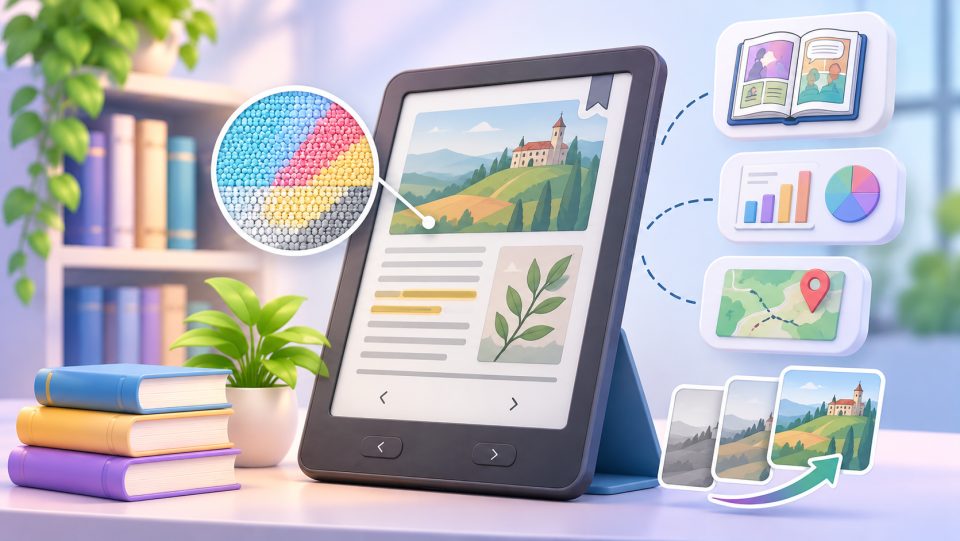
The Libra Colour shows text razor sharp at 300 ppi, color content at 150 ppi. This is due to the technology: with Kaleido 3 a color filter sits above a normal black and white panel, halving the effective resolution for color. More on this in our guide Color E Ink explained: what Kaleido 3 can really do in everyday life.
Our test shows what this means in everyday life: the colors are somewhat dark by design and look pastel rather than vivid. In practice you almost always read with the light switched on.
The Frontlight "ComfortLight PRO" can be adjusted in brightness and color temperature, so warm and amber in the evening. On top there is a dark mode and FastGLR, a technique against ghosting when turning pages.
The Kaleido compromise: what you should know before buying
Color E Ink with Kaleido 3 always requires a compromise. You trade the perfect black and white contrast for paler colors and higher power consumption, because the light is almost always on. Advertising likes to keep quiet about this. For pure novel readers this is often the number 1 reason for returns. If you mainly read text, it is worth taking a look at the black and white alternatives further down.
Operation, software & stylus
In the test the ergonomics convince above all. The asymmetrical design with the two page turn buttons lies excellently in the hand and makes one handed reading comfortable. The dual core processor at 2.0 GHz has twice the clock speed of the Libra 2.
Stylus support is great for notes. With the separately available Kobo Stylus 2 you highlight and comment directly in the book, in color too, and create notebooks. Kobo stores the notes in the Kobo Cloud. Via iType you choose from 13 fonts and more than 50 font styles.
Formats, shops & libraries
According to Kobo, the Libra Colour reads 15 file formats natively, including EPUB, PDF, MOBI and comics as CBZ / CBR. The Kobo Store is integrated, plus the subscription Kobo Plus with eBooks and audiobooks. Copy protected books from other shops work if they use Adobe DRM. For many international libraries OverDrive/Libby is also integrated directly in the device.
The Onleihe does not work directly on the Kobo. For wireless downloads on the eReader the Onleihe uses the copy protection LCP, which tolino and PocketBook support, but Kobo does not. You can still read Onleihe titles, but you have to take the detour through a computer: borrow the book on the PC, open it with Adobe Digital Editions and transfer it to the reader via USB cable. If you set up ADE anew, you now need a ByteBooks ID instead of the former Adobe ID. More convenient is the closely related tolino vision color.
You can also load files onto the device via Dropbox and Google Drive, articles via Instapaper.
Battery & equipment
How big the battery is depends on the revision. Kobo's official technical data still lists 2,050 mAh. In the current revision N428B, however, an iFixit analysis and reports in the specialist press found a larger battery with 2,300 mAh, about 12 percent more. Kobo itself has not announced the change. The official battery life is up to 40 days, calculated with 30 minutes of reading per day, light at 30 percent and Wi-Fi and Bluetooth off. Charging is via USB-C.
In our test the runtime depends heavily on usage. Pure reading without Wi-Fi easily gets you through several weeks. Stylus use on the other hand draws about 10 percent battery per hour, and active Wi-Fi noticeably drains the battery in the background. So switch Wi-Fi off when you do not need it right now.
According to iFixit, Kobo also slightly revised the internals of the N428B. Spare parts are available via iFixit, but pay attention to the matching model number. Think carefully about a battery replacement: the battery is glued in, and opening it destroys the seal for the water protection. With tinkering and soldering experience it is doable, otherwise a repair service is the safer choice.
The case is waterproof to IPX8 (up to 60 minutes at 2 m depth) and, according to Kobo, is made of at least 85.5 percent recycled plastic. Via Bluetooth you listen to Kobo audiobooks with headphones or a speaker.
N428 or N428B: which version do I get?
Kobo sells both revisions under the same name. Software, performance and functions are identical, only battery and internals differ. Which version you get when buying online is often a matter of luck. You can find the model number in small print on the grip edge next to the page turn buttons or under More → Settings → About Kobo Libra Colour.
In forums there are occasional reports that the N428B has a more yellowish light. This is not due to the revision, but to the typical batch variation of E Ink panels and frontlights, which exists with all manufacturers.
For new buyers the N428B is the better choice, because the larger battery brings longer reading times. If you already own an N428, there is no need to switch. You can find all details about the original version on our page about the Kobo Libra Colour N428.
Color or black and white? Alternatives with more contrast
If you mainly read long novels, a black and white reader gives you more contrast, sharpness and speed for the money. At Kobo the Kobo Clara BW with E Ink Carta 1300 is the most recent black and white model, but with 6 inches and without page turn buttons. If you want 7 inches with buttons, Kobo only offers the predecessor Libra 2, mostly used or as remaining stock. Bigger is the Kobo Sage with 8 inches. Outside of Kobo, the Boox Go 7 BW or the PocketBook Era are current 7 inch alternatives with page turn buttons and black and white displays.
Who is the Kobo Libra Colour for?
The Libra Colour is worth it if you want color for covers, comics or highlights, appreciate page turn buttons and occasionally take notes. If you are at home in the Amazon cosmos, best compare with the Kindle Colorsoft. You can find all models of the manufacturer at Kobo.
Our verdict
The best color all rounder. Repairability via iFixit, physical buttons and the open system make it more likeable than the Kindle Colorsoft. If you only read novels, however, you should know the Kaleido compromise and are often better served with a black and white reader.
FAQ about the Kobo Libra Colour
Is the Kobo Libra Colour waterproof?
Yes. It is protected to IPX8 and, according to Kobo, survives up to 60 minutes at a depth of 2 meters.
Is the Kobo Libra Colour worth it for pure novel readers?
Rather not. Kaleido 3 trades the perfect black and white contrast for colors and higher power consumption, because you almost always read with the light on. For pure novels a black and white reader is usually the better choice.
Can I use the Onleihe with the Kobo Libra Colour?
Not directly on the device, because the Onleihe uses LCP for wireless downloads and Kobo does not support it. The detour through a PC works: borrow the book on the computer and transfer it with Adobe Digital Editions via USB cable.
How much does the stylus drain the battery?
In our test stylus use draws about 10 percent battery per hour. Pure reading without Wi-Fi easily gets you through several weeks.
How big is the battery of the Kobo Libra Colour?
Officially Kobo lists 2,050 mAh and up to 40 days of runtime. In the current revision N428B an about 12 percent larger battery with 2,300 mAh is installed, according to iFixit and the specialist press.
Is it worth switching from the N428 to the N428B?
No. Software, performance and functions are identical, you only gain some battery life. For new buyers the N428B is the better choice, though.