Onyx · 2025
Onyx BOOX Go 7
In short
The Onyx BOOX Go 7 is a 7-inch eReader from Onyx with a 300 ppi Carta 1300 display, physical page-turn buttons and Android 13 with Google Play. It also offers 64 GB of storage plus a microSD slot, speakers and an optional stylus. It is only water-repellent, not waterproof, and launched at 249.99 euros.
- RRP
- €249.99
- Display
- 7″
- Weight
- 195 g
Last updated on
This page has been translated from German.
Overview
What we like
- Sharp 7-inch Carta 1300 display with 300 ppi
- Physical page-turn buttons with a crisp click
- Open Android 13 with Google Play, Onleihe app runs directly
- 64 GB of storage plus a microSD slot
- Speakers, microphone and audio playback on board
What we don’t
- Only water-repellent, no IPX8 rating
- Stylus sold separately, writing feel and notes are weaker
- At 249.99 euros launch price clearly pricier than classic readers
- No brightness sensor for automatic lighting
- Battery life with 2300 mAh is rather tight
Specifications
Manufacturer data, checked by usDisplay
| Screen size | 7″ |
|---|---|
| Display technology | E Ink Carta 1300 |
| Colour display | No |
| Resolution | 1680 × 1264 |
| Pixel density (B/W) | 300 ppi |
| Front light | Yes |
| Adjustable colour temperature | Yes |
| Touchscreen | Yes |
| Stylus support | Yes, optional |
Storage & battery
| Storage | 64 GB |
|---|---|
| Memory card slot | Yes |
| Processor | Octa-Core 2,0 GHz |
| Battery | 2,300 mAh |
Software & formats
| Operating system | Android 13 |
|---|---|
| eBook formats | EPUB, PDF, MOBI, AZW3, DOCX, FB2, CBZ, CBR, HTML, RTF, TXT, MP3, WAV, JPEG u. a. (26 Formate) |
| Copy protection (DRM) | Adobe DRM (EPUB, PDF) |
| Built-in store | Google Play Store |
| Libraries & services | Onleihe und Bibliotheken via Apps |
| Onleihe built in | Yes |
| Audiobooks | Yes |
| Install your own apps | Yes |
| Cloud services | Onyx Cloud (10 GB) |
Connectivity
| Wi-Fi | Wi-Fi 5 |
|---|---|
| Bluetooth | Yes |
| Cellular (LTE) | No |
| Port | USB-C |
| Wireless charging | No |
Design
| Dimensions | 137 × 156 × 6,4 mm |
|---|---|
| Weight | 195 g |
| Water resistance | Wasserabweisend, kein IPX8 |
| Page-turn buttons | Yes |
| Colours | Schwarz, Weiß |
| RRP (at launch) | €249.99 |
Sharpness compared
Pixel density in ppi (black & white)
Our everyday reading test
The Onyx BOOX Go 7 is the compact Android eReader from Onyx: a 7-inch E Ink Carta 1300 display, physical page-turn buttons and full Android 13 with Google Play. That makes it a more flexible alternative to classic readers like the Kindle Paperwhite (2024). At its launch on April 25, 2025 it cost 249.99 euros; today the street price sits between roughly 240 and 270 euros depending on the color.
Onyx BOOX Go 7 at a glance
In a nutshell, the Go 7 is a reader for people who want more than plain reading: apps from every store, library apps, audiobooks and notes, all on a 7-inch device with page-turn buttons. The key specs at a glance:
| Key specs | Onyx BOOX Go 7 |
|---|---|
| Display | 7-inch E Ink Carta 1300, 16 grayscale levels |
| Resolution | 1680 x 1264 pixels (300 ppi) |
| Page-turn buttons | Yes, physical buttons on the right edge |
| Processor / RAM | Octa-core at 2.0 GHz / 4 GB |
| Storage | 64 GB, microSD slot (up to 1 TB) |
| Battery / port | 2300 mAh, USB-C |
| Weight / size | 195 g, 137 x 156 x 6.4 mm |
| Lighting | Front light with adjustable color temperature |
| Water protection | water-repellent, no IPX8 |
| System | Android 13 with Google Play |
| Launch | April 25, 2025, RRP 249.99 euros |
Display: Carta 1300 with razor-sharp 300 ppi
The centerpiece is a 7-inch panel of the Carta 1300 generation, the current reference technology from E Ink. At 1680 x 1264 pixels and 300 ppi the Go 7 renders text as sharply as a printed book, on par with the Paperwhite, Clara BW and Shine 5. Sixteen grayscale levels keep images clean.
BOOX adds some useful software extras: with the BOOX Super Refresh technology the refresh rate can be tuned per app. Fast and animated app interfaces run more smoothly, while the typical ghosting is suppressed while reading. A soft and flicker-free front light keeps the screen readable regardless of ambient light, and the dark mode inverts colors for reading at night.
Page-turn buttons and build: asymmetric like the Oasis
Anyone who knows the Kindle Oasis or the Kobo Sage knows the concept: the Go 7 has an asymmetric body with a thicker right edge that holds the page-turn buttons. The weight rests in your palm while thumb and index finger reach the keys in a relaxed position. The tactile feedback of the physical buttons has improved noticeably over older BOOX models and testers describe it as pleasantly crisp.
At 195 grams and 6.4 millimeters the Go 7 is unusually light and slim, and the textured back provides a secure grip. A G-sensor rotates the display into landscape automatically, and the buttons then work on the other side. It comes in black with a glass front and in white with a PMMA cover.
Android 13 and Google Play: the big difference from Kindle and Kobo
The most important reason to choose a BOOX at all is in the system menu: Android 13 with full access to the Google Play Store. Practically every reading app runs on the Go 7: the Kindle app, the Kobo app, Tolino, Thalia, Onleihe for e-book libraries, Audible for audiobooks and magazine apps like Readly or pressenger. You are not tied to any store and can read books from all sources on one device.
This is especially convenient for library users: Onleihe works directly on the device, without the PC detour through Adobe Digital Editions that Kobo users have to take. Simply install the Onleihe app, borrow, read. If an app is not in the Play Store, it can be installed as an APK file via sideloading, for example publisher apps without their own store listing.
To be fair, Android on E Ink remains a compromise: apps with lots of motion or games are little fun on an E Ink screen, and Computer Bild reports occasional stability issues during app use. For reading and the app needs that come with it, the octa-core has plenty of headroom.
Reading and formats: 26 formats, excellent PDF rendering
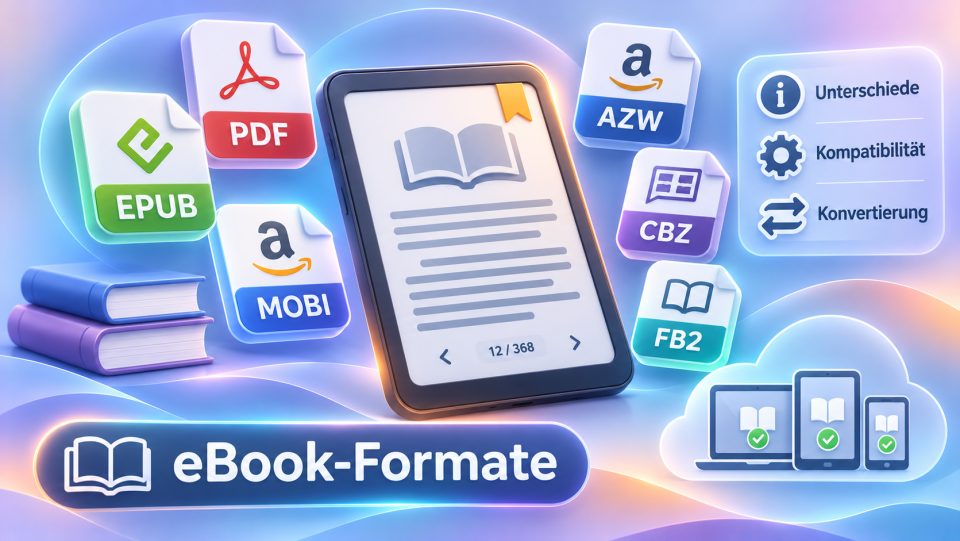
The Go 7 supports around 26 formats: EPUB and PDF of course, but also MOBI, AZW3, DOCX, FB2, HTML, image files and comic containers like CBZ and CBR. Our article on e-book formats has the full overview.
Protected files with Adobe DRM open directly on the Go 7, with no detour through Adobe Digital Editions on a PC. The PDF rendering is also remarkable: despite the compact 7-inch diagonal, newspaper and document PDFs can be cropped and paged flexibly, which is why bluepick calls the PDF playback excellent.
Storage, microSD and Onyx Cloud
64 GB of internal storage is four times what a Kindle Paperwhite offers and clearly more than Tolino or Kobo give their classic readers. A complete library including comics and newspaper archives fits on the device. The microSD slot (microSD, microSDHC and microSDXC, up to 1 TB according to the manufacturer) lets you expand storage massively if needed.
If you prefer to keep your data in the cloud, Onyx gives you 10 GB of Onyx Cloud storage with cloud sync for notes and documents. Audiobooks play through the built-in speaker or wirelessly via Bluetooth 5.1 to headphones, and there is a built-in audio player for MP3 and WAV.
Lighting, battery and water resistance
The front light of the Go 7 illuminates the screen evenly and can be blended steplessly across the color temperature from cold white to warm amber light, which is easy on the eyes in the evening. There is no brightness sensor that adjusts the light automatically, so you set the brightness yourself.
With 2300 mAh the battery is comparatively tight given the display, the light and Android's background services. bluepick measured a few days to a few weeks of runtime depending on app use. That is fine for everyday use, but a Kobo or tolino with a frugal pure reading system lasts significantly longer with the same reading workload.
Water resistance is where the Go 7 is clearly weaker: according to the manufacturer it is only water-repellent and has no IPX8 certification like the Tolino Shine 5 or the waterproof Kindles. Raindrops and splashing water are harmless, but the device is not built for the bathtub or the beach.
Notes with the BOOX InkSense stylus
The Go 7 supports the optional InkSense stylus with 4096 pressure levels, which costs around 46 euros separately. Handwritten notes, annotations in PDFs and highlights in book text are all possible.
In practice, note-taking remains an add-on rather than a real selling point: c't calls the notes feature sloppily implemented, and bluepick criticizes the slick writing feel and the noticeable latency on the screen. If you take a lot of serious notes, a Note-series tablet from BOOX serves you better; for occasional highlights and scribbles in the margin, the add-on is fine.
Onyx BOOX Go 7 in tests: what the press says
Computer Bild tested the Go 7 in issue 14/2025 against the PocketBook Verse Lite and awarded it a grade of 1.6, which equals 88 out of 100 points and the verdict good. That makes it the clear winner of the comparison, with best scores for display quality (1.2) and ease of use (1.1). Reviewers praised the build quality, the large storage including the microSD port and the audio playback.
c't (issue 15/2025) does not award a classic grade, but writes that the Go 7 is the device of choice if you mainly want an e-reader with extras, because Android brings magazine apps and even a browser. PCMag (3.5 out of 5 points) calls it the best e-reader BOOX has ever released, and testberichte.de aggregates the published reviews into an average of 1.8, which again means good.
The reviewers' criticism largely matches our cons list: the stylus is expensive accessory, the notes feature trails dedicated devices, and battery life plus the missing water protection slightly cloud the overall impression. All in all, the Go 7 came away very well for an open Android device.
The Onyx BOOX Go 7 is the right choice if you want a reader with full Android, page-turn buttons and plenty of storage and are ready to spend a street price of 240 to 270 euros. If you only read classic books from a single store, pure reading devices like the Kobo Clara BW serve you more cheaply. If you are open for alternatives: the Tolino Shine 5 is waterproof and cheaper, and the tolino vision color and the Kindle Colorsoft show books in color.
Our verdict
The Go 7 is the right reader if you want Android, page-turn buttons and plenty of storage in a light 7-inch device and are ready to spend around 250 euros. We have not tested it ourselves; TechRadar called it the first Android eReader it genuinely likes, but criticized the high price. If you only read books from a single store, a classic reader serves you more cheaply.
FAQ about the Onyx Go 7
What is the Onyx BOOX Go 7?
A 7-inch eReader from Onyx with an E Ink Carta 1300 display, physical page-turn buttons and Android 13 with Google Play. It launched on April 25, 2025 at a price of 249.99 euros.
Is the Onyx BOOX Go 7 worth it?
If you want apps, Onleihe and Audible on one eReader, it is one of the most convenient 7-inch options and won the Computer Bild comparison with a grade of 1.6. If you only read, you could buy three classic readers for the same money.
Does the Onleihe library app work on the Onyx BOOX Go 7?
Yes, directly on the device. Because Android 13 with Google Play is preinstalled, you simply install the Onleihe app as on a phone and borrow books wirelessly. Unlike Kobo, you do not need a detour through Adobe Digital Editions on a PC.
Is the Onyx BOOX Go 7 waterproof?
No. The housing is water-repellent according to the manufacturer, but it has no IPX8 certification. Raindrops or spilled coffee are no drama, but it is not made for the bathtub or the beach.
Do I need a stylus for the Onyx BOOX Go 7?
No, the BOOX InkSense stylus is optional accessory for around 46 euros. Reviewers feel the note-taking feature is mediocre anyway; for serious handwriting you should look at a BOOX Note tablet.
How much storage does the Onyx BOOX Go 7 have?
64 GB of internal storage, expandable by up to 1 TB via microSD according to the manufacturer. Onyx also gives you 10 GB of free space in the Onyx Cloud for notes and documents.