eBook Reader Software for Android
Twelve apps qualify as eBook readers for Android: Kindle, Kobo, tolino and Google Play Books cover their shops; ReadEra, Librera and Moon+ Reader read your own files. KOReader, FBReader and Readest offer special features for E Ink and synchronization, PocketBook supports Adobe DRM. For library loans, Onleihe 3 or Libby is available depending on the library.
What matters in an eBook reader for Android?
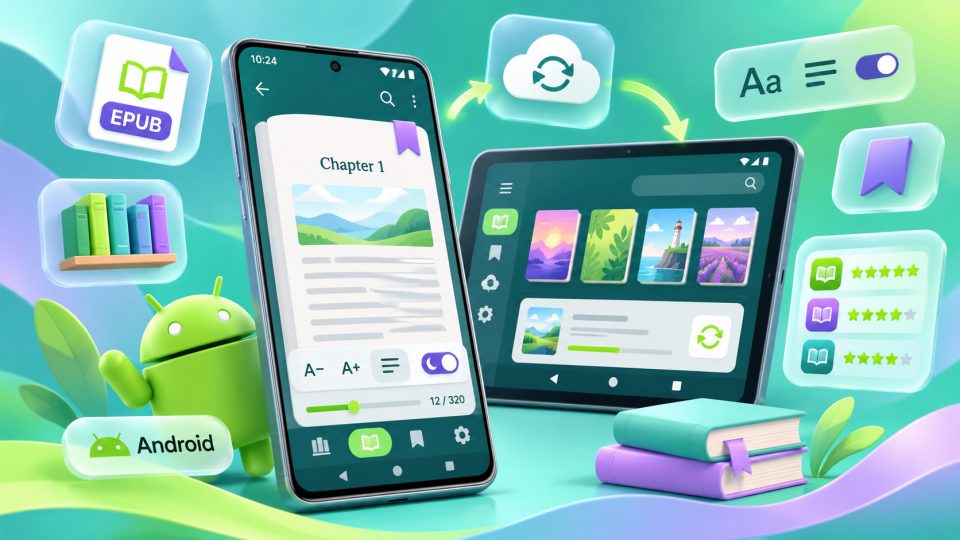
Which eBook reader for Android fits you? First, what matters is where your books come from. For Amazon, Google, Kobo and tolino purchases, the vendors' own apps are usually the easiest. For your own files without DRM copy protection, there are flexible readers such as ReadEra, Librera, Moon+ Reader and KOReader. On top come library apps, cloud readers and applications for Android E Ink devices.
Ask yourself five questions before installing:
- Origin: Do you read purchased titles, your own files, or books from public libraries?
- Formats: Do you need EPUB, PDF, MOBI, DOCX or comics?
- Copy protection: Is it a Kindle book, an Adobe/ByteBooks DRM title, or an LCP loan?
- Devices: Should the app run on your smartphone, tablet and an Android E Ink reader?
- Synchronization: Do you want to sync reading position, highlights and books in a cloud, or deliberately stay local?
We present twelve active Android apps that install for free or can be used in a free basic version. Extra features, cloud storage, freedom from ads or books can cost money. Below we also classify Calibre Companion, Bookari, Aldiko/Cantook and Cool Reader. Information as of November 2026. For reading on the computer there are our comparisons eBook Readers for Windows and eBook Readers for macOS.
Which eBook readers for Android are available?
These twelve apps serve very different tasks. The formats are a selection; purchased and protected titles cannot be freely swapped between readers.
| App | Especially suitable for | Formats and content (selection) | Free and sync |
|---|---|---|---|
| Google Play Books | Google purchases and your own files in the cloud | Google books, uploaded EPUB/PDF | App free; Google sync |
| Kindle | Amazon books and Kindle devices | Kindle purchases, documents via Send to Kindle | App free; Whispersync |
| Kobo Books | Kobo purchases and Kobo eReaders | Kobo eBooks, audiobooks, local DRM-free EPUBs | App free; shop titles synchronized |
| tolino app | German tolino booksellers | tolino eBooks, EPUB, PDF, audiobooks | App free; tolino cloud |
| ReadEra | Ad-free local reading | EPUB, PDF, DOCX, FB2, DjVu, MOBI, AZW3 | Free base without account; optional premium |
| Moon+ Reader | Many settings and reading modes | EPUB, MOBI, FB2, TXT, comics, PDF depending on version | Base with ads; Pro and sync options |
| KOReader | Android E Ink and advanced PDF use | EPUB, PDF, DjVu, FB2, MOBI, CBZ | Free, open source; own progress sync |
| Readest | Switching platforms and the KOReader connection | EPUB, PDF, MOBI, AZW3, FB2, CBZ | Free cloud up to 500 MB; premium |
| Libby | Public libraries with OverDrive | Loaned eBooks, audiobooks, magazines | Free with a participating library card |
| Librera Reader | Documents, comics, sheet music and read-aloud | EPUB, PDF, DJVU, DOCX, CBZ/CBR and more | Free version; Pro and F-Droid variant |
| PocketBook Reader | Many formats, Adobe DRM and PocketBook Cloud | EPUB, PDF, MOBI, DOCX, CBZ/CBR, Adobe DRM | App free; PocketBook sync |
| FBReader | EPUB, OPDS, LCP and cross-device reading | EPUB, FB2, MOBI; PDF/comics via extensions | Free base; premium one-time purchase |
What can the individual apps do?
Google Play Books: Your own EPUBs and PDFs in the Google cloud
Google Play Books is not only good for purchases in the Google shop. You can upload your own EPUB and PDF files directly from the Files app or add them via the browser. Afterwards they are available in your library on other signed-in devices too. Reading position, notes and highlights are synchronized. For PDFs, Google states that the extended synchronization of highlights and notes applies to uploads since 20 January 2026.
The Android app is clearly arranged, allows offline downloads and offers a read-aloud function for supported eBooks. Purchased audiobooks are also reachable in the Google library. Do not confuse things: syncing an audiobook playback position between devices does not automatically mean the reading progress of a separately purchased eBook edition switches with the audiobook. In layout, supported upload formats and fine settings, Google Play Books is more limited than specialized readers. Right for you if you want simple cloud synchronization and mainly use EPUBs or PDFs without third-party DRM.
Kindle: The Android app for Amazon's book world
With the Kindle app you can read your Amazon library on Android smartphones and tablets, even without owning a physical Kindle. Via Whispersync, the last reading position, bookmarks, highlights and notes sync with other Kindle apps and compatible Kindle devices. Dictionary, translations and further Amazon features are integrated directly into the reading interface.
For your own documents there is Send to Kindle: you send EPUB files to your account, for example, instead of adding them straight to the local library as in a free file manager. Amazon converts accepted files for its system. That is convenient when switching devices, but cumbersome if you want to manage a large collection independently of Amazon. Books with Adobe DRM from other shops cannot be read this way. Right for you if you buy Kindle titles or own a Kindle Paperwhite. For arbitrary local EPUBs there are more open alternatives.
Kobo Books: Shop books and audiobooks on Android
Kobo Books connects the Kobo shop with the mobile library and supports reading purchased eBooks as well as playing Kobo audiobooks. If you own a Kobo Libra Colour or another Kobo device, the app is an obvious companion for the titles obtained through Kobo. The interface is geared toward purchases, reading and syncing within this ecosystem.
Unlike a completely closed reader, on Android you can indeed import your own, unencrypted EPUBs. Kobo points out two important limits, though: PDFs cannot be imported this way, and even imported EPUBs do not automatically appear on other Kobo devices or in other Kobo apps after syncing. For cross-device use of your own files, Readest or FBReader is more interesting. Right for you if you mainly shop in the Kobo store.
tolino app: The mobile companion to German booksellers
The tolino app is meant for books from the tolino network, for example from tolino partners such as Thalia or Hugendubel. You find purchased eBooks in the library, can read EPUB and PDF, set bookmarks and highlights, and continue reading on other supported devices via the tolino cloud. For matching titles, audiobooks can be used as well.
Its strength is the integration into the tolino book world, not managing a large, mixed collection. The app is therefore not a universal solution for all DRM processes and file types. Above all: books from external shops with different copy protection do not become compatible merely through the file format. Right for you if you buy your eBooks from tolino partners and want to switch between the app and a tolino vision color.
ReadEra: Ad-free reading without a mandatory account
ReadEra is a popular all-rounder for local files. The base app reads, among others, EPUB, PDF, MOBI, AZW3, DOCX, TXT, ODT, DjVu and FB2. It detects documents on the Android device, organizes them in a library and offers settings for font, display, brightness and reading mode. No account is needed for normal reading; the free version does without classic ad banners.
The focus on local content is an advantage for everyone who does not want to upload their books to a cloud first. At the same time it is the limit: ReadEra is not a shop app and offers no integrated cloud sync of reading progress comparable to Kindle or Readest. A paid premium edition adds comfort features. DRM-protected books cannot simply be opened. Right for you if you want to read your own PDFs, EPUBs and Word documents as easily as possible.
Moon+ Reader: Customizability down to the last detail
Moon+ Reader has been one of the best-known Android readers for years, for users who want to fine-tune their reading view. Font, colors, spacing, page turns, gestures and automatic scrolling can be adjusted extensively. Supported are, among others, EPUB, MOBI, FB2, TXT, HTML and comic formats; add OPDS catalogs, dictionary and translation functions and a read-aloud function. PDF support and certain extras depend on the respective edition.
The abundance of switches makes the app powerful, but can overwhelm beginners too. The free version contains ads; Moon+ Reader Pro removes them and unlocks additional functions. Cloud and backup features must be set up accordingly and are not to be confused with an automatically shared library of all shops. Right for you if you mainly read DRM-free books and want to configure layout and operation very individually.
KOReader: The specialist for PDFs and Android E Ink
KOReader is open source and tailored particularly to E Ink reading devices and technically interested users. On Android it is available, among others, via F-Droid. It supports fixed page formats such as PDF, DjVu and CBZ as well as EPUB, FB2, MOBI and further text formats. Especially useful for difficult PDFs are margin cropping, page splitting, reflow and zoom functions.
Add many typography options, dictionaries, OPDS, a connection to Calibre and an own sync of reading positions between KOReader devices. The interface is more a toolbox than a guided smartphone app: until everything fits, it takes some familiarization. Right for you if you read on an Android E Ink reader or have to work through complicated PDFs. For simple shop books with DRM, KOReader is not meant.
Readest: Modern interface with cross-device sync
Readest is available for Android, iOS, macOS, Windows, Linux and as a web app. The open-source reader supports EPUB, PDF, MOBI, AZW3, FB2 and CBZ, plus highlights and notes, translations, read-aloud, OPDS catalogs and a split reading view. The app can also be combined with a Calibre library.
Especially interesting is the sync with KOReader: via the official KOReader sync server, the reading position can be synchronized between both readers. This does not automatically transfer all notes; for more extensive synchronization there are additional solutions. The free Readest plan includes cross-platform cloud sync with 500 MB of storage and limited AI quotas. More storage, extended AI features and your own services such as WebDAV require a matching plan or a supported one-time purchase unlock. Right for you if you use Android as well as computers or E Ink devices. Protected shop files cannot be read by Readest just like that.
Libby: Digital loans at OverDrive libraries
Libby from OverDrive is a free app for borrowing digital books, audiobooks and magazines. You search for your library, sign in with a valid card, and can read available titles directly in the app or download them for offline use. The appealing, well-guided interface often makes the start especially easy. Borrowed titles are returned automatically at the end of the loan period; you do not need a Libby subscription.
Important for Germany: not every city library uses OverDrive. Many German libraries offer the Onleihe instead. You can only use Libby if your library actually provides an OverDrive collection; an arbitrary German library card is not enough. You also cannot simply copy every borrowed file into another reader. Right for you if your library participates in OverDrive and you want to borrow and read conveniently on Android. For a German Onleihe library, Onleihe 3 is usually the more fitting route.
Librera Reader: Document all-rounder, also for sheet music
Librera Reader is a customizable Android reader with support for EPUB, PDF, MOBI, FB2, DjVu, AZW/AZW3, DOC/DOCX, HTML, TXT and comic archives such as CBR and CBZ. It offers local folder search, a library, highlights, a dictionary, night mode and extensive text-to-speech functions. Via OPDS, public or your own online catalogs can be integrated as well.
A special feature is the musician mode with adjustable automatic scrolling, practical for digital sheet music on a tablet, for example. The numerous PDF display options are just as helpful. The interface is less minimalist than ReadEra's in return. The Google Play edition is available free and as a paid Pro version; via F-Droid there is also a variant without Google Play services and without Google Drive synchronization. Right for you if you want to read very different files, comics or sheet music on an Android tablet. Librera is not a reader for third-party DRM shop purchases.
PocketBook Reader: Open formats and Adobe DRM
PocketBook Reader supports a wide selection of file formats on Android, including EPUB, PDF, MOBI, DjVu, FB2, DOCX, TXT and comics. Add OPDS catalogs and, unlike many universal readers, support for Adobe-protected EPUBs and PDFs. For corresponding titles you need a valid authorization via the by-now-introduced ByteBooks ID.
For owners of a PocketBook eReader, PocketBook Cloud is particularly interesting: according to the manufacturer, books and reading position can sync between the app and compatible PocketBook devices; Dropbox is also part of the PocketBook ecosystem. Which contents can be synchronized depends on the origin and rights of the books. The app requires an account for cloud features and is less independent than a fully local reader. Right for you if you read many formats, have Adobe DRM files, or also use PocketBook hardware.
FBReader: Further-developed classic with LCP
FBReader is one of the older names among Android readers, but is still actively developed. The stable Android version 3.8.32 of 3 August 2026 brought improvements for current Android versions and E Ink devices. The reader opens, among others, EPUB, FB2 and MOBI, offers customizable typography, OPDS catalogs and sync via the FBReader Book Network. It also supports Readium LCP for corresponding protected books.
PDF, DjVu and comics work on Android partly via additional modules. In the free edition you need the PDF plugin for PDF, for example; FBReader Premium bundles further functions, read-aloud and translation in a one-time purchase. The app is thus less straightforward than ReadEra, but interesting for OPDS, LCP and multiple devices. Right for you if you are looking for an established reader with many settings and cloud options. Contrary to what is sometimes claimed, FBReader is not among the discontinued Android apps.
Can I read DRM-protected or library eBooks on Android?
For DRM-protected books, the origin counts, not only the file format. An EPUB with copy protection does not automatically open in every EPUB app.
| Origin or protection | Suitable Android app |
|---|---|
| Kindle purchase at Amazon | Kindle |
| Book from Google Play | Google Play Books |
| Kobo purchase | Kobo Books |
| Purchase from tolino partners | tolino app |
| Onleihe library | Onleihe 3, depending on library and migration status |
| Public library with OverDrive | Libby |
| Adobe/ByteBooks DRM with supported EPUB/PDF | PocketBook Reader or a compatible external DRM app |
| Readium LCP EPUB | FBReader, for a matching title possibly Cantook |
| DRM-free own files | ReadEra, Moon+ Reader, KOReader, Readest, Librera and others depending on format |
Onleihe 3 and Libby are not the same
In Germany, the Onleihe is the usual loan route at many libraries. The new Onleihe 3 is being introduced step by step in library networks in 2026; which version you need depends on your library. For the current Android app, the operator names Android 10 as the minimum requirement. The app offers an integrated reader and access to borrowed media. Some titles use CARE DRM, others still require Adobe/ByteBooks-compatible software.
Libby, in contrast, is the service for libraries with OverDrive. The app is free, but without a library with a matching collection it is no replacement for the Onleihe. More on digital loans is in our guide E-Book Libraries in Germany.
Distinguishing Adobe DRM, ByteBooks and LCP
Since 23 June 2026, the previous Adobe ID is being replaced by the ByteBooks ID. For the Onleihe, this particularly affects titles that explicitly offer an Adobe download. According to the official Onleihe help, PocketBook Reader and Adobe Digital Editions come into question under Android; for other apps the operator guarantees no compatibility. Readium LCP is a different process and can be supported, for example, by FBReader. DRM cannot be bypassed by merely renaming or converting a file.
What became of Calibre Companion, Bookari, Aldiko and Cool Reader?
Not every known app still belongs in a list of current recommendations. At the same time, it would be wrong to declare all formerly popular readers blanket-discontinued.
Calibre Companion: Library tool rather than reader
Calibre Companion was long a practical Android interface to the Calibre library on the PC: transfer books over Wi-Fi, view metadata, browse via the content server and open local files afterwards in another reader. The service does not read eBooks itself and is therefore no direct replacement for ReadEra or FBReader.
Contrary to older assessments, the app has not simply vanished: its Play Store entry was updated on 15 September 2026 and currently lists wireless Calibre connections, library management as well as optional in-app purchases and subscriptions. Check the current functionality and pricing model before use. For new users who simply want to read books, Calibre Companion is rather a special tool.
Bookari: Once very popular, today no current recommendation
Bookari, previously Mantano Reader, was known above all for its PDF handling, its highlighting tools, OPDS catalogs and the support for protected books. The known Android versions were last updated in 2018. The free version disappeared from Google Play as early as 2020, the premium edition in 2024. Bookari is therefore today not a sensible fresh install, in particular not via dubious APK portals. For modern Android devices, PocketBook Reader, Librera or KOReader are the better ports of call.
Aldiko lives on as Cantook
Aldiko was one of the classics of mobile EPUB reading. But the name is not simply history: today's app is called Cantook by Aldiko, is still listed on Google Play and was updated there in August 2026. It supports, among others, EPUB, PDF, OPDS and Readium LCP as well as connections to participating libraries. It is therefore a further-developed alternative, not clearly discontinued software. Whether it works with your German library you have to check with the provider; the Onleihe explicitly names Aldiko as restrictedly compatible for certain external Adobe downloads.
Cool Reader: A classic with limited current availability
Cool Reader was known for years for its lean EPUB/FB2 reader and many settings. The former Google Play app has been unavailable there since 2025; its last documented state there dates from 2021. The open-source project respectively the code base continues to exist, though. For an uncomplicated fresh install via the Play Store, ReadEra, FBReader or Librera are the more obvious options.
Android E Ink: Which apps run on an eReader?
On Android-based E Ink devices, for example certain BOOX models, additional Android apps can run alongside the preinstalled readers. A Google Play Store is not automatically available on every device; older Android versions or missing Google services can also restrict installation.
KOReader is particularly worthwhile because of the E Ink and PDF settings. FBReader is an alternative for EPUB, LCP and cloud sync. Kindle, Kobo, tolino or Libby only work if the specific device and the respective app are supported. Therefore check the required apps as well as Android version, DRM and store access before buying the device.
Which eBook reader for Android suits whom?
The best app is the one that fits your files, your shop and your devices.
| Your goal | Our recommendation |
|---|---|
| Read Google books and your own EPUB/PDF across devices | Google Play Books |
| Sync Amazon titles with a Kindle | Kindle |
| Read purchased Kobo titles | Kobo Books |
| Read books from German tolino booksellers | tolino app |
| Read many own files locally and without ads | ReadEra |
| Customize reading view and gestures particularly strongly | Moon+ Reader |
| Configure PDFs and E Ink devices in detail | KOReader |
| Combine Android, desktop and KOReader | Readest |
| Borrow via an OverDrive library | Libby |
| Read documents, comics or sheet music | Librera Reader |
| Use Adobe DRM files or PocketBook Cloud | PocketBook Reader |
| Combine EPUB, OPDS and LCP with cloud sync | FBReader |
| Borrow digital media from a German Onleihe library | Onleihe 3 (depending on library) |
| Transfer Calibre libraries over Wi-Fi to a tablet | Calibre Companion (add-on tool, no reader) |
Our conclusion
There is no single best eBook reader for Android. For shop books, Google Play Books, Kindle, Kobo and tolino are the first ports of call. ReadEra is particularly easy for local files, Moon+ Reader offers a lot of customization and KOReader suits PDF and E Ink power users. Librera widens the choice for documents, comics and sheet music; PocketBook Reader scores with format variety and Adobe DRM. Readest and FBReader are interesting if you use more than one device.
For library loans, your library decides: Onleihe and Libby are different systems. Historical names such as Bookari and Cool Reader need context today, while Aldiko as Cantook and FBReader live on. Ideally, try two or three matching apps with the same DRM-free files. Our guide Digital Bookshelf helps bring order to a large collection.
Frequently asked questions
Which eBook reader for Android is free?
Free to install are, among others, Google Play Books, Kindle, Kobo, tolino, ReadEra, KOReader, Readest, Libby, Librera, PocketBook Reader and FBReader. Moon+ Reader has a free ad-funded version. Depending on the app, books, cloud storage or Pro features cost extra.
Which Android app opens EPUB and PDF?
ReadEra, KOReader, Readest, Librera, PocketBook Reader and Google Play Books support both formats. Moon+ Reader can also handle PDF depending on the edition. With FBReader, the free Android version needs an add-on module for PDFs; Kobo Books does not import your own PDFs on Android.
What is better for the library: Libby or Onleihe 3?
That depends on your library. Libby works with libraries that offer OverDrive. Many German libraries use Onleihe 3 instead or are in the middle of the 2026 migration. Libby and Onleihe are not interchangeable.
Which app can read Adobe-DRM-protected eBooks on Android?
PocketBook Reader supports EPUB and PDF with Adobe DRM. Since 23 June 2026, the Adobe ID is being replaced by the ByteBooks ID. For Onleihe titles with an Adobe download, the Onleihe help also names Adobe Digital Editions as an external app. The concrete compatibility depends on the title.
Are FBReader or Aldiko discontinued?
No. FBReader for Android received updates as recently as August 2026. Aldiko is being further developed as Cantook by Aldiko and was updated in the Play Store in August 2026. Bookari, on the other hand, is no longer regularly available; the former Cool Reader app was removed from Google Play.
Can I use Calibre Companion as an eBook reader?
Calibre Companion manages and transfers a Calibre library over Wi-Fi or the content server, but is not a reader itself. To open books you need an additional reading app. The Play Store entry was updated as recently as September 2026.