eBook Reader Software for iOS
Nine current apps serve as eBook readers for iOS: Apple Books comes preinstalled, while Kindle, Kobo and tolino serve their shops. Readest, Yomu and BookFusion read your own files with different sync models, and PocketBook Reader also supports Adobe DRM. For borrowing, you use Libby or the Onleihe depending on your library; KyBook 3 and Marvin 3 are older specialist solutions.
What matters in an eBook reader for iOS?
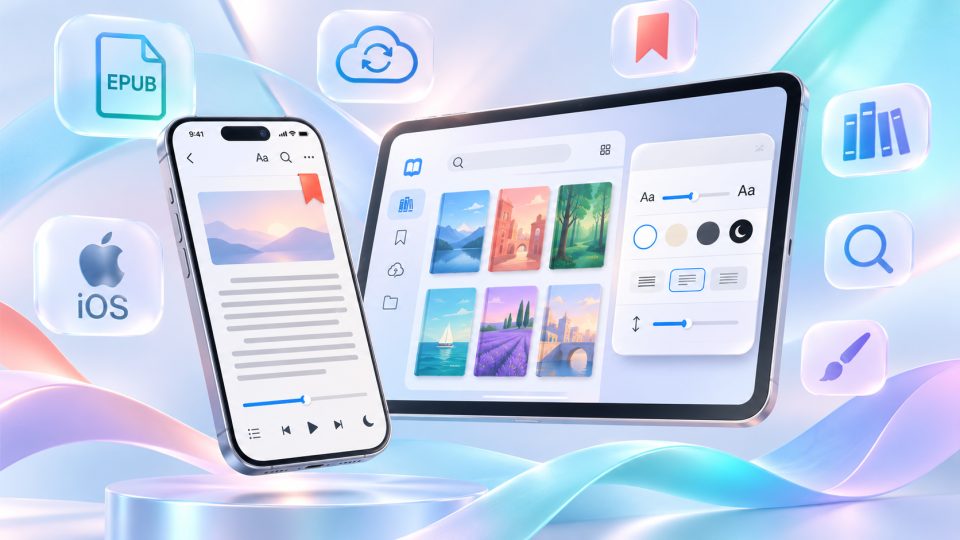
Which eBook reader for iOS is right for your iPhone or iPad? Apple Books is already installed and sufficient for many of your own EPUB and PDF files. But with purchased Kindle, Kobo or tolino titles, special formats and DRM copy protection, the right app makes the difference. Other programs focus on libraries that are as open as possible, a convenient cloud or the switch to an E Ink reader.
Five questions help you choose:
- Origin: Do you buy in the Apple, Amazon, Kobo or tolino shop, or do you read your own files?
- Formats: Do you need EPUB, PDF, MOBI/AZW3, comics or audiobooks?
- Copy protection: Is it a protected shop title, Adobe/ByteBooks DRM or a library loan?
- Library: Do you want to borrow books from the Onleihe or through Libby?
- Sync: Should your reading progress be shared with a Mac, an Android device or an E Ink reader?
The comparison covers nine current iOS apps that you can install free of charge or try with a free basic package. Some charge for larger libraries, cloud storage or additional features. KyBook 3 and Marvin 3 are covered separately as older power-user readers that we no longer recommend without reservation because of their unclear maintenance status. As of November 2026. You can find more programs in our comparisons for Android, macOS and Windows.
Which eBook readers for iOS are available at a glance?
The nine eBook readers for iOS have different strengths: some tie you to a shop, others read your own files, and others are there for library loans. The format details are a selection. An app that can open EPUB does not automatically open DRM-protected EPUBs as well.
| App | Particularly suitable for | Content and formats (selection) | Cost and sync |
|---|---|---|---|
| Apple Books | Simple reading on Apple devices | EPUB, PDF, Apple books, audiobooks | App free; iCloud |
| Kindle | Amazon library and Kindle devices | Kindle purchases, own documents via Send to Kindle | App free; Whispersync |
| Kobo Books | Kobo purchases and audiobooks | Kobo eBooks, local DRM-free EPUB/PDF | App free; Kobo sync for shop titles |
| tolino app | German booksellers and families | EPUB, PDF, tolino eBooks, audiobooks | App free; tolino cloud, Family Sharing |
| Readest | Switching devices and KOReader | EPUB, MOBI, AZW3, PDF, FB2, CBZ | Free cloud with 500 MB; further features paid |
| Yomu | Apple-style interface, more formats | EPUB, MOBI, AZW3, PDF, CBR/CBZ | Free up to 10 documents; iCloud with Pro one-time purchase |
| BookFusion | Large private cloud libraries | EPUB, MOBI, PDF, comics and more | Free up to 10 cloud books; larger library by subscription |
| PocketBook Reader | Format variety, Adobe DRM, PocketBook Cloud | EPUB/PDF with Adobe DRM, MOBI, FB2, DjVu, comics | App free; PocketBook Cloud |
| Libby | Borrowing from OverDrive libraries | Borrowed eBooks, audiobooks, magazines | Free with a library card from a participating library |
What can the individual apps do?
Apple Books: the straightforward reader on iPhone and iPad
Apple Books is preinstalled on iPhone and iPad. The app opens purchased Apple books and your own unprotected EPUBs or PDFs from the Files app. The calm design, the well-tuned text rendering and vertical scrolling make it especially pleasant for anyone who does not want to turn pages classically, one by one. Bookmarks, highlights and notes are on board, plus an audiobook section.
With iCloud enabled, your library and reading progress appear on your other Apple devices. Syncing requires almost no setup, but it depends on your Apple ID and the right iCloud settings. The downside is the closed system: Apple books with copy protection cannot simply be transferred to Kindle or Kobo. Apple Books also offers less free choice of margins, fonts and layout down to the smallest detail than specialised readers. Right for you if you mainly read on iPhone, iPad and Mac and want a simple, consistent interface.
Kindle: the bridge between iPhone and Amazon
The Kindle app is the obvious choice for titles bought at Amazon. With Whispersync it syncs the last reading position, bookmarks, highlights and notes between the iOS app, other Kindle apps and Kindle devices. Your own DRM-free EPUB files can be sent to your Amazon account via Send to Kindle. Amazon converts them into a compatible Kindle format instead of managing them in an independent local file library.
That is convenient when switching devices, but it can feel cumbersome for reading and managing large personal collections.
In addition, shop recommendations and Amazon's content are more prominent than in plain readers. Important about buying on iOS: Since May 2025, Kindle has offered a "Get Book" button in supported markets that leads to the purchase on Amazon's website in the browser. It is therefore no longer necessary everywhere to search for the book page manually in Safari first, but it is not a full in-app checkout either. Which button appears can depend on country and app version. Right for you if you already own a Kindle Paperwhite or mainly read Amazon books.
Kobo Books: shop library with integrated audiobook player
Kobo Books is the iOS app for books and audiobooks from the Kobo shop. Purchased titles sync with your Kobo account, so you can switch between the iPhone and a Kobo Libra Colour, for example. The integrated audiobook player is directly connected to the rest of the Kobo library. According to Kobo, the app currently requires iOS 18 or newer.
Your own files are not excluded, though: Kobo officially explains how to import DRM-free EPUBs and PDFs onto your iPhone or iPad via mail, Google Drive or a Mac. The decisive catch: these self-imported files stay on that device and do not automatically appear on other Kobo apps or eReaders.
In addition, you usually buy Kobo books on iOS through the browser instead of directly within the app. Right for you if you mainly use Kobo shop titles and Kobo audiobooks; as a cross-platform reader for your own files, Readest or BookFusion are more flexible. Kobo's import guide explains the exact steps.
tolino app: sharing books from tolino partners with the family
The tolino app is aimed at customers of tolino booksellers such as Thalia or Hugendubel. It supports EPUB, PDF and audiobooks, offers bookmarks, highlights and sync via the tolino cloud. This lets you continue reading between iPhone, iPad and a tolino vision color with compatible titles. On iOS, book purchases usually happen in the webshop of the respective retailer.
One important special feature is tolino Family Sharing: up to six people in total can share eligible purchases within a reading family, even if the accounts come from different tolino partners. Not every book is enabled; the rights of the respective publisher also play a role. The app now offers more options for comics and audiobooks than older versions, but it still stands more for the tolino ecosystem than for independent management. Importing and syncing your own files can take more steps than with Apple Books. Right for you if you buy from tolino partners and want to share books within your family.
Readest: the modern reader with KOReader sync
Readest is an open-source reader for iOS, Android, macOS, Windows, Linux and the browser. The app reads, among others, EPUB, MOBI, AZW3, PDF, FB2 and CBZ without third-party copy protection. It offers highlights and notes, translation, read aloud, split reading views, OPDS catalogues and ways to connect a Calibre library.
Its particular strength is switching between devices: Readest can sync the reading position with KOReader via its sync protocol. A separate KOReader integration also allows deeper syncing of books, highlights and notes. According to the provider, the free Readest plan includes 500 MB of cloud storage and basic cross-device sync.
Your own WebDAV, iCloud Drive or other third-party storage as well as certain advanced AI and convenience features require a suitable Plus or Pro plan or the intended one-time purchase unlock. Right for you if you read on iPhone, computer and an E Ink device with KOReader. The different sync routes should be told apart beforehand. Details on Readest plans.
Yomu: the tidy alternative to Apple Books
Yomu EBook Reader is available on iPhone, iPad and Mac and also relies on a reduced, Apple-like operation. Unlike Apple Books, the app also handles DRM-free MOBI and AZW3 files as well as CBR/CBZ comics; EPUB and PDF are included too. Files can be imported from Apple's Files app, via AirDrop, from Dropbox, Google Drive, OneDrive, OPDS catalogues or a Calibre library. Fonts, layouts and colours can be adjusted without the interface feeling cluttered.
The limit is clear: the free edition allows only ten documents. The iCloud library and an unlimited number of files are unlocked with Yomu Pro. According to the developer, this is a one-time purchase for iPhone, iPad and Mac instead of a subscription; the free version may also show ads.
Integrating other cloud providers for import is not the same as a free iCloud reading progress sync. Not all text highlighting features are available for PDF and comics either. Right for you if you appreciate the simplicity of Apple Books but want to read more file formats. Yomu explains the free and Pro limits.
BookFusion: your own library with cloud sync
BookFusion is a combination of reader, library management and cloud service. You upload your own DRM-free books and documents and can read them on iOS, Android and the web. With a Calibre plugin, books, covers and metadata can be transferred from an existing collection. Reading progress, bookmarks, highlights and notes are synced, and content can be stored for offline reading.
For readers with hundreds of books this is attractive, but it requires trust in an additional cloud service. The free plan includes up to ten books in the cloud; a permanently larger collection requires a paid subscription. That is an important difference to Yomu, which enables an unlimited iCloud library with a one-time purchase, and to Readest, which offers a fixed amount of storage in its free plan. Right for you if you want to maintain a central library across platforms, independent of a single bookshop. Official BookFusion plans.
PocketBook Reader: many formats, Adobe DRM and PocketBook Cloud
PocketBook Reader is a particularly versatile free reader app for iPhone and iPad. It supports EPUB, PDF, MOBI, FB2, DjVu, DOCX, RTF, TXT as well as comics in CBZ and CBR. More decisive than the bare format list: the app can open EPUBs and PDFs with Adobe DRM, provided the required authorisation and the rights of the respective book match. It also offers OPDS catalogues, dictionaries, adjustable text rendering and an integrated text-to-speech function that reads regular eBooks aloud.
Via the PocketBook Cloud, books, reading positions and other library data can be synced between the mobile app and compatible PocketBook eReaders; Dropbox can also be connected. The cloud features require setup and a matching account. The interface offers many menus and therefore feels a bit more technical than Apple Books or Yomu. Right for you if you own various file formats, need Adobe DRM titles or use a PocketBook eReader. PocketBook's feature overview explains the supported formats and the sync.
Libby: books and audiobooks from public libraries
Libby by OverDrive is a free app for eBooks, digital audiobooks and magazines from participating public libraries. You search for your library, sign in with its valid card and borrow available titles directly on the iPhone or iPad. The colourful, easy-to-understand views make loan periods, holds and playback especially accessible. Borrowed titles can usually be read or listened to offline; there is also a comfortable audiobook player.
Libby is not a universal reader for your private collection: arbitrary own EPUBs cannot simply be imported as a permanent bookshelf. The library is decisive: not every German municipal library uses OverDrive. Many rely on the Onleihe instead, which is a different lending system. Sending Libby books to Kindle is also only offered for supported US libraries. Right for you if your library uses OverDrive and you want to borrow books without hassle. Libby help for getting started.
Can I read copy-protected or library eBooks on iOS?
Not every iOS reader can open every purchased or borrowed eBook. Often the shop's own app is the right way; for other files, the DRM technology used matters.
| Origin or protection | Suitable app on iPhone and iPad |
|---|---|
| Apple Books Store | Apple Books |
| Kindle purchases at Amazon | Kindle |
| Kobo purchases | Kobo Books |
| tolino booksellers | tolino app |
| Adobe-protected EPUB/PDF files | PocketBook Reader, possibly Adobe Digital Editions |
| German library with Onleihe | Onleihe 3 or the version currently used by the library |
| Library with OverDrive | Libby |
| Own books without DRM | Apple Books, Readest, Yomu, BookFusion, PocketBook Reader |
Onleihe or Libby: which library app do I need?
In Germany, the Onleihe is widespread; Onleihe 3 is being introduced step by step in 2026. Which app already applies depends on your library and its migration date. For iPhone and iPad, the operator names iOS or iPadOS 15.1 or newer as the minimum requirement. Libby, on the other hand, is only the right way for libraries with an OverDrive collection. A library card alone does not make the two services interchangeable.
You can find more on the topic in our guide E-book libraries in Germany.
Adobe DRM, ByteBooks and your own files
For protected EPUB/PDF files with Adobe DRM, PocketBook Reader can be an alternative to Adobe Digital Editions. Note the migration from the previous Adobe ID to the ByteBooks ID from June 2026; for older loans, the specific procedure of your library can also be relevant. The official Onleihe help for external reader apps names PocketBook Reader and Adobe Digital Editions, but does not guarantee compatibility of all apps or titles.
DRM-free EPUBs and PDFs, on the other hand, usually reach your device easily via the Files app, AirDrop, mail or a cloud drive. In the share menu you then select the reader you want. Sideloading an unprotected file is therefore much easier than transferring protected shop purchases.
KyBook 3 and Marvin 3: two older favourites for power users
Both programs are part of the history of powerful eBook readers for iOS, but today they should no longer be placed on the same level as actively maintained recommendations.
KyBook 3: impressive features, unclear maintenance status
KyBook 3 can still be found in the App Store and, for an older app, offers an astonishing number of features: EPUB, PDF, DjVu, FB2 and comics, OPDS catalogues including Tor access, annotations, local and external cloud storage, text-to-speech, PDF reflow and extensive settings down to custom fonts and margins.
However, the publicly visible version history essentially goes back many years. This makes long-term compatibility with current iOS versions, the function of external login services and the former paid library sync uncertain. There are user reports about problems with the Pro login; from these alone, however, no general statement can be derived that every server has been shut down. For existing users, KyBook 3 can still be useful. For newcomers, Yomu, Readest or PocketBook Reader are usually the more sustainable choice.
Marvin 3: the former reference for customisable reading
Marvin 3 was popular with advanced iPhone and iPad readers: highly detailed typography, self-defined margins, library functions, OPDS and Calibre connectivity were among its strengths. The last broadly documented app version 3.1.2 dates from October 2017; continuous development cannot be seen.
This does not mean that Marvin 3 necessarily crashes on every current iPhone. But without regular updates, neither permanent compatibility nor a safe new start can be promised. As a historical mention, Marvin 3 belongs in the comparison, not as a current purchase or installation recommendation.
Which eBook reader for iOS suits whom?
The best app is the one that fits your books, your library and your devices.
| Your goal | Our recommendation |
|---|---|
| Start reading right away and sync your own EPUBs/PDFs via iCloud | Apple Books |
| Sync Amazon books and a Kindle device | Kindle |
| Read Kobo purchases or Kobo audiobooks | Kobo Books |
| Buy from tolino retailers and use family sharing | tolino app |
| Combine iPhone, Android, desktop and KOReader | Readest |
| Apple-style operation with many DRM-free formats | Yomu |
| Maintain a large Calibre collection in a shared cloud | BookFusion (subscription for larger libraries) |
| Use Adobe DRM books, many formats or the PocketBook Cloud | PocketBook Reader |
| Borrow through an OverDrive library | Libby |
| Borrow through a German Onleihe library | Onleihe 3, depending on the library |
| Keep using an older specialist app with many settings | KyBook 3 or Marvin 3, only with caution |
Our conclusion
Apple Books remains the best starting point among eBook readers for iOS for many users, because the app is preinstalled and makes switching between iPhone, iPad and Mac simple. If you buy mainly from Amazon, Kobo or tolino, their apps are the most sensible companions. For your own DRM-free files with more formats, Yomu is recommended; Readest scores with different platforms and KOReader, while BookFusion supports a large personal cloud library. PocketBook Reader enriches the comparison above all with Adobe DRM, many formats and the sync with PocketBook devices.
If you borrow books, you need Libby or the Onleihe depending on your library. The formerly popular KyBook 3 and Marvin 3 explain why power users still compare today's readers critically, but as a long-term new recommendation they should be treated with caution. Try out two or three suitable apps with the same DRM-free books and compare rendering, handling and the sync you actually need. For a well-organised collection you can find more tips in our guide Digital bookshelf.
Frequently asked questions
Which eBook reader for iPhone or iPad is free?
Apple Books as well as the Kindle, Kobo, tolino, Readest, Yomu, BookFusion, PocketBook Reader and Libby apps can be installed free of charge or tried for free. Yomu allows up to ten documents for free, BookFusion up to ten cloud books, and Readest offers 500 MB of cloud storage free of charge. Costs arise for some features, books and larger libraries.
Which iOS app opens my own EPUBs and PDFs?
Apple Books, Yomu, Readest and PocketBook Reader open your own unprotected EPUBs and PDFs. BookFusion also supports both, but needs an upload for the cross-device library. Kobo Books can also import DRM-free EPUBs and PDFs locally, but does not sync these imports to other Kobo devices.
Can I buy Kindle books directly on the iPhone?
In supported markets, the Kindle iOS app has had a "Get Book" link since May 2025 that leads to completing the purchase on Amazon's website in the browser. It is therefore not necessary in every case to open Amazon manually in Safari first. Availability can depend on country and app version.
Which app is suitable for Adobe DRM on iOS?
PocketBook Reader supports Adobe-DRM-protected EPUB and PDF books; Adobe Digital Editions can also be an option depending on the title. Since June 2026, the migration from Adobe to ByteBooks IDs has been relevant. For Onleihe titles, you should follow your library's instructions.
Does Libby work with my German library card?
Only if your library offers a digital OverDrive collection. Libby and the Onleihe are different lending systems. For many German libraries, the Onleihe app or Onleihe 3 is the right way.
Are KyBook 3 and Marvin 3 still worth it?
Both are interesting classics with extensive typography and library features. KyBook 3's current maintenance status is unclear; Marvin 3 has not been visibly developed for many years. For newcomers, Yomu, Readest or PocketBook Reader are usually the more sensible choice.