What is eBook Reader?
Also known as: eBook Reader, eReader, E-Reader, E-Book Reader, Ebook Reader, reading device
In a nutshell
What is an eBook Reader?
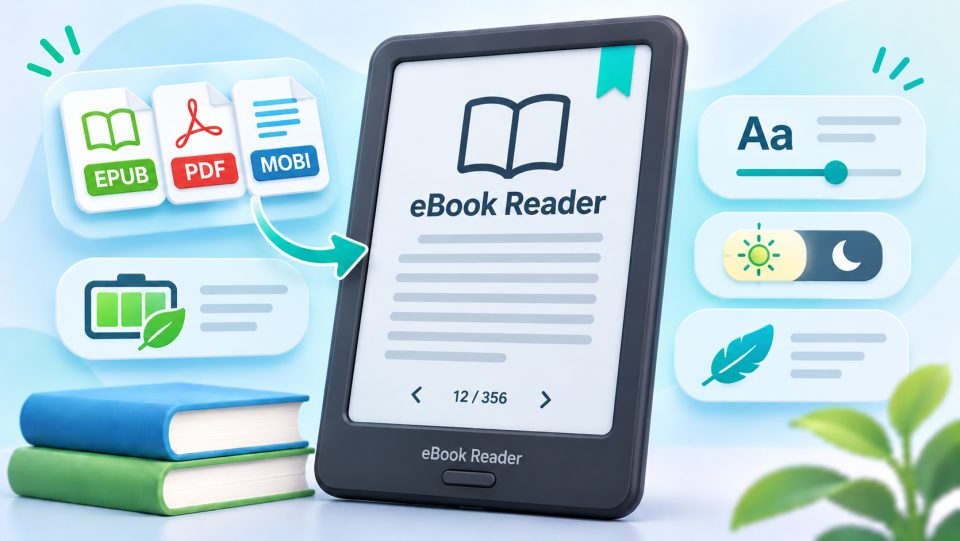
An eBook Reader is a reading device built for one thing only: reading. Unlike a tablet, it has no glowing LCD or OLED screen but electronic paper, usually made by the company E Ink. The text consists of real black pigments that reflect ambient light, just like printer's ink on paper. That is why you can read it in blazing sunshine without a problem, while a smartphone becomes almost invisible.
Typical characteristics and benefits:
- Display: usually 6 to 8 inches (about 15 to 20 centimeters diagonal), larger on note-taking devices
- Weight: around 170 to 210 grams for current compact models, so lighter than a hardcover book
- Storage: 16 or 32 GB, enough for thousands of books
- Battery life: weeks instead of hours
- Light: built-in frontlight for reading in the dark
- Shop: direct connection to an eBook shop via Wi-Fi
The terms eBook Reader, eReader, E-Book-Reader, and E-Reader all mean the same device.
How does an eBook Reader work?
The display: electronic paper
The heart of every eReader is the E Ink display. It contains millions of tiny microcapsules filled with a clear liquid and white and black pigment particles. The white ones are positively charged, the black ones negatively. When the electronics apply a voltage, either the black or the white particles migrate to the top depending on polarity, and the pixel appears dark or light.
The trick is bistability: once sorted, the particles stay in place even without power. A page you read for five minutes therefore consumes no energy. Current only flows when the page changes. That is why many models display an image in standby without draining the battery.
| E Ink device | Tablet / smartphone | |
|---|---|---|
| Light source | reflects ambient light, optional frontlight | backlight or self-lit pixels |
| Reading in the sun | very good | difficult |
| Battery life | weeks | one to two days |
| Image changes | sluggish, brief flicker | smooth, video possible |
| Color rendering | black and white or muted | brilliant |
| Distraction | barely any, no apps or notifications | high |
Sharpness, page turns, and ghosting
Sharpness is measured in ppi, pixels per inch. Current devices with E Ink Carta reach 300 ppi, which roughly matches good print quality and makes for a razor-sharp typeface. The display rebuilds with every page turn. So that no residue of the previous page remains, the so-called ghosting, the device regularly performs a full refresh with a brief black-and-white flash. Modern models do this so cleverly that it is barely noticeable.
Light: frontlight instead of backlight
An E Ink device does not shine into your face. Unlike a tablet, the frontlight sits at the edge and spreads its light over a thin layer onto the surface of the display. On many models the color temperature can be adjusted: warm and yellowish in the evening, cool and white during the day. If you like, you can switch to Dark Mode with light text on a dark background.
Color on E Ink: is a color display worth it?
For some years there have been eReaders with color displays. Most use Kaleido 3: a color filter sits on top of the black-and-white layer, the tones look rather pastel like a newspaper, and color resolution is halved to 150 ppi. Examples are the Kindle Colorsoft and the tolino vision color. For comics and art there is Gallery 3 with more vivid rendering but slower page builds. The successor Kaleido 4 was presented in October 2026.
A color display pays off if you read comics, cookbooks, travel guides, or nonfiction with graphics. For pure novels, a black-and-white device is usually the better choice: more contrast, a brighter image, and a longer-lasting battery. What the color technology delivers in everyday life is explained in our guide Farb-E-Ink erklärt.
Internals and software
Inside works a low-power processor, usually running Linux or a stripped-down Android as the operating system. Add to that Wi-Fi for the shop, Cloud Sync, and updates, a USB-C port for charging, and on many models Bluetooth for audiobooks and the read-aloud feature. Many current models are waterproof to IPX8 and survive a bath in the tub. Larger models support a stylus for handwritten notes. How long the battery really lasts and what drains it is explained under Battery & mAh.
The history of the eBook Reader
The pioneers of the 1990s
The first reading devices came to market in 1998: the Rocket eBook from NuvoMedia and the SoftBook Reader. The Rocket eBook cost 499 US dollars at launch, had an LCD display, and stored around 4,000 pages. Curiously, the founders of NuvoMedia included Martin Eberhard and Marc Tarpenning, who later founded Tesla Motors. The early reading devices could not prevail: the selection of books was too small and the displays too strenuous.
1997 to 2004: electronic paper is invented
The decisive invention came from the MIT Media Lab, where the E Ink Corporation was founded in 1997. In 2004 Sony launched the Librie EBR-1000 in Japan, the first reading device with an E Ink display. It cost the equivalent of around 260 US dollars but remained a niche product, also because books were scarce.
2006 and 2007: Sony Reader and Kindle
In September 2006 the Sony PRS-500 became the first E Ink device available outside Japan. But Amazon achieved the breakthrough: the first Kindle appeared in November 2007 and sold out after five and a half hours. Its secret was not the screen but the system behind it: a huge shop, books delivered to the Kindle over the cellular network in seconds, no computer needed. Sony later released the PRS-700 as the first model with a touchscreen and built-in lighting.
2011 to today: light, water, color
| Year | Milestone |
|---|---|
| 2011 | the Kindle arrives in Germany with a German shop |
| 2012 | lit devices such as the Kindle Paperwhite (2012) become the standard |
| 2013 | the book trade answers with tolino; the tolino shine appears at launch |
| 2016 | first models with warm light, such as the Aura ONE |
| 2017 | Rakuten takes over the tolino technology platform from Deutsche Telekom |
| from 2021 | color devices based on Kaleido reach the market |
| 2024 | Amazon launches the Kindle Colorsoft, its first color Kindle |
| 2026 | E Ink presents Kaleido 4 |
How a model line has developed over the years is easy to see in the Paperwhite series from 2012 to 2024 or the tolino epos series from 2017 to the tolino epos 3.
The major manufacturers compared
Buying a reading device usually means choosing a shop, its copy protection, and its file formats. That is the single most important question, more important than display size or battery.
| Amazon Kindle | tolino | Kobo | PocketBook | |
|---|---|---|---|---|
| Own shop | Amazon | Thalia, Hugendubel, Weltbild, and others | Kobo Store | PocketBook Store |
| EPUB | only via Send to Kindle | yes | yes | yes |
| Copy protection | Amazon DRM | Adobe DRM, LCP | own DRM, Adobe DRM | Adobe DRM, LCP |
| Onleihe | no | yes, directly on the device | only via a PC | yes, directly on the device |
| Special feature | largest shop, Kindle Unlimited | available in many bookstores | strong software, OverDrive abroad | very many file formats, large InkPad models |
Examples from our directory are the Kindle Paperwhite (2024), the Clara BW, and the tolino vision color. PocketBook scores with a particularly large number of supported formats and large models for PDFs. Besides the big four there are Android devices like those from Viwoods, on which you can install apps from different shops, for example on the Viwoods AiPaper Reader.
Can I read every eBook on every reader?
No, and that is the most common wrong purchase. A Kindle cannot read books with Adobe DRM or LCP; the other manufacturers' readers cannot read Kindle books. Books without copy protection or with a watermark in EPUB format, on the other hand, work almost everywhere, on the Kindle via Send to Kindle. If you already have a library with one provider, staying with that provider's devices is the easiest path.
How widespread are eReaders?
According to a Libri analysis, around 13.8 million people in Germany own an eReader, about 19 percent more than the year before. Among new purchases, the tolino shine is the most popular model at 31 percent. The buyers are surprisingly young: 43 percent are under 30, and almost half of the purchases are first-time buys. More on this in our market analysis.
Buying guide: what should you look for when buying?
When buying, the ecosystem counts first; equipment and reading experience come after. These questions help you:
- Where do you buy or borrow books? Amazon speaks for a Kindle. If you use the Onleihe or buy from German bookstores, tolino or PocketBook fit, because both fetch Onleihe titles directly onto the device.
- Which screen diagonal? 6 inches (around 15 centimeters) fits in a jacket pocket, 7 inches is the popular middle ground, larger screens are better for PDFs and comics.
- Black and white or color display? For novels, black and white is enough; for comics and cookbooks, colorful pages pay off.
- Which formats and features? Check whether the device opens EPUB, PDF, and your other files directly.
- Warm light? An adjustable color temperature makes reading in the evening more pleasant.
- Page-turn buttons? Physical buttons for turning pages make one-handed reading easier.
- Water protection? IPX8 pays off for the bathtub, beach, and pool.
- Audiobooks? You need Bluetooth and enough storage for those.
- Stylus? An input pen is only worth it if you want to take notes or highlights by hand.
What does an eReader cost?
Prices range roughly from entry-level devices through the popular mid-range to color and note-taking devices. For orientation, some launch MRSPs from our directory:
| Model | Display | MRSP at launch |
|---|---|---|
| Kobo Clara BW | 6", black and white | 139.99 € |
| Kindle Paperwhite (2024) | 7", black and white | 169.99 € |
| tolino vision color | 7", color | 199 € |
| Kindle Colorsoft (2026) | 7", color | 299.99 € |
Color displays, styluses, and large screens drive up the price; storage and water protection are usually included in the mid-range today. Independent test results come from Stiftung Warentest and specialist magazines; our editorial team tests the devices itself. Watch the test date on reports from Stiftung Warentest and other testers, because models are often refreshed annually.
How much storage does an eReader need?
A novel usually takes up only a few megabytes, so 16 GB is enough for thousands of books. More storage pays off if you want to carry audiobooks, comics, or large PDF files with you. Current Kindle and tolino models do not support memory cards; some PocketBook models do. Purchased titles also sit in the provider's cloud; your own files are best backed up on your computer.
Can you read PDFs on an eReader?
Yes, but with limitations. A PDF has a fixed page layout that often turns out very small on a small screen. Zoom and landscape mode help; from 8 inches upward it becomes comfortable. The EPUB format, by contrast, adapts to any screen size. For technical literature and documents, large devices like the PocketBook InkPad models or note-taking devices are the better choice.
Which reading device suits children?
For children, a sturdy case, a cover, simple operation, and no browser distractions matter. Some manufacturers offer children's profiles or dedicated kids' editions. Many families also use the Onleihe of their city library, which saves money on children's books that are read quickly. For colorful comics and picture books, color pays off; for beginning readers with dyslexia, large fonts and special typefaces help.
Good to know: what you should know about eBook Readers
Kindle and library do not go together in Germany
For the Onleihe you need a device that supports the LCP or Adobe DRM copy protection. Kindle models can do neither. If the Onleihe matters to you, go for tolino or PocketBook: there you borrow directly on the device, without a computer. On Kobo, the Onleihe only works via a PC detour, because LCP is missing.
No more USB downloads for Kindle purchases since 2025
Since February 26, 2025, Amazon no longer offers a download for transferring purchased books to a Kindle via USB cable. They only reach the reading device via Wi-Fi.
eReaders age too
Manufacturers eventually discontinue shop access and updates for older models. What that means specifically is shown in our article Kindle Support-Ende 2026 für alte Modelle. Titles already loaded can usually still be read.
Displays are sensitive
E Ink displays are thin and can break under pressure, for example in a backpack between a laptop and a water bottle. A case is therefore not a luxury accessory but cheap insurance. Cold weather makes page turns slower but normally does no harm. After a dip in the sea, it is best to rinse the device with fresh water, because IPX8 generally refers to fresh water.
Is an eReader better for the eyes?
Many people find the reading experience on E Ink more pleasant than on a tablet, because the display does not light up from behind and hardly reflects. That is one of the biggest advantages over smartphone and tablet. The frontlight also contains some blue light, but it drops significantly with a warm color temperature. In the evening, warm light at low brightness therefore helps. Breaks and enough light in the room remain important nonetheless.
Switch off or standby?
In standby, an eReader draws almost no power; switching it off is not necessary in everyday life. If you put the device away for months, charge the battery to about half first and switch it off completely.
Curiosities from practice
An eReader does not get heavier when you load files onto it: data is stored only as charge states, and the difference is not measurable. And the X-ray scanners at airports are considered harmless for E Ink devices.
Is an eReader more environmentally friendly than paper?
That depends on your usage. Manufacturing a device burdens the environment considerably more than making a single book. Ecologically, a reading device therefore only pays off if you read many books digitally over the years that you would otherwise have bought in print, and if you use it for a long time.
More than just novels
Modern eReaders offer many functions: they can read aloud, play audiobooks, look up words, store highlights and notes, and sync with the app on your smartphone. With a suitable typeface and a large font, they are also a real help for low vision or dyslexia.
eReader or tablet: which suits you?
An eBook Reader is the right choice if you regularly read novels and nonfiction, like reading outdoors or in bed, and do not want to be distracted by notifications. A tablet fits better if you mainly read comics in vivid colors, magazines, cookbooks with photos, or large PDFs, and also want to use the device for video and the internet. Many heavy readers have both: the E Ink device for books, the tablet for everything else.
Which reading apps exist for tablet, smartphone, and computer is shown in our guides for Android, iOS, Windows, and macOS.
For whom is an eBook Reader worth it?
An eBook Reader is worth it for anyone who reads more than a handful of books a year. The advantages over the printed book are clear: it saves space and weight, makes large type possible, and puts an entire library in your pocket. Beginners get along well with a compact model with a frontlight; heavy readers enjoy warm light, water protection, and page-turn buttons; and anyone reading comics or children's books should look at a model with a color display. Test results from Stiftung Warentest and our own tests help with the choice. You can find all models with spec sheets in our eBook Reader directory.
[Editorial test impression: what matters most to us in tests for display, light, and handling]
What is an eBook Reader?
A reading device for digital books with an E Ink display. It looks like printed paper, barely reflects, reads well in sunlight, and lasts for weeks on one battery charge.
Which is better: eReader or tablet?
For books, usually the eReader: it barely reflects, does not light up from behind, lasts for weeks, and does not distract. A tablet is better for colorful comics, magazines, videos, and the internet.
Can I read every eBook on every reader?
No. Kindle readers do not read books with Adobe DRM or LCP, and other readers do not read Kindle books. eBooks without copy protection or with a watermark in EPUB format work almost everywhere.
What does a good eBook Reader cost?
For orientation: the Kobo Clara BW launched at 139.99 €, the Kindle Paperwhite (2024) at 169.99 €, the tolino vision color at 199 €, and the Kindle Colorsoft (2026) at 299.99 €. Color, styluses, and large displays drive up the price.
What should I look for when buying an eReader?
First at the ecosystem: where do you buy or borrow books, do you need the Onleihe? Display size, black and white or color, warm light, page-turn buttons, water protection, and Bluetooth for audiobooks come after that.
Is an eReader better for the eyes than a tablet?
Many people find it more pleasant because the E Ink display does not light up from behind and hardly reflects. In the evening, warm light at low brightness helps; breaks remain important anyway.